
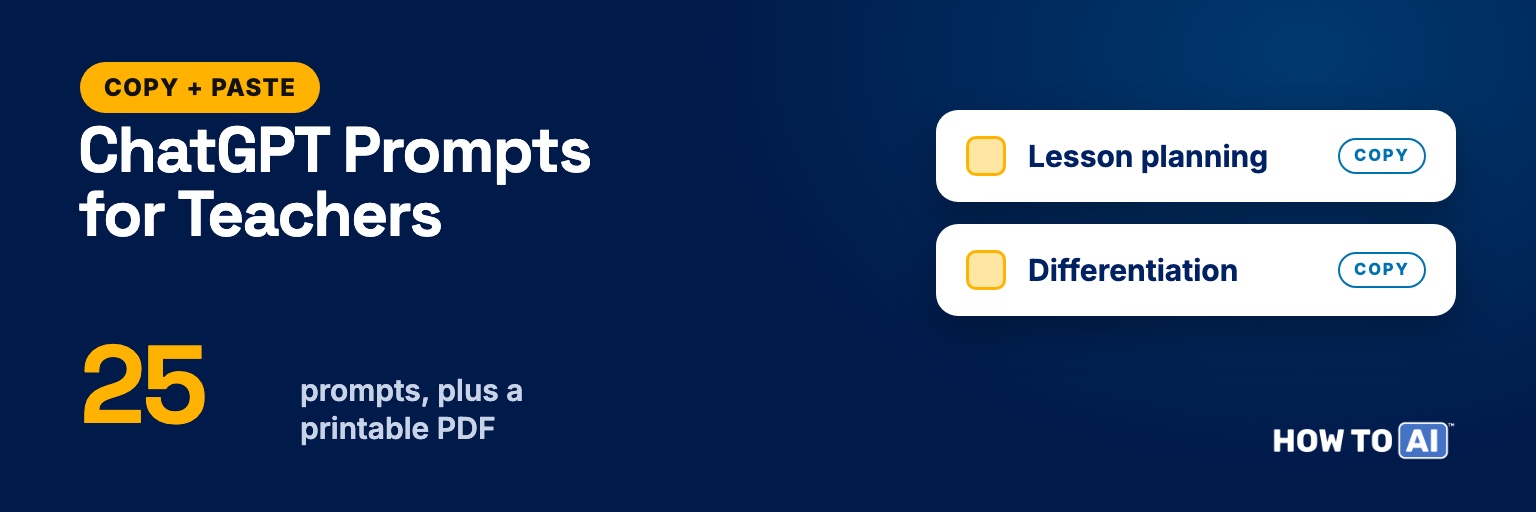
These are 25 ChatGPT prompts for teachers, grouped by the jobs that eat your evenings: lesson planning, differentiation, assessment, parent emails, classroom routines and your own workload. Each one is ready to copy. Fill in the [BRACKETS], paste it in, and edit what comes back the way you’d edit a student teacher’s first draft.
They work the same way in ChatGPT, Claude and Gemini, so use whichever tool your school allows. Want them on paper for your planning binder? Download the printable version below.
Where to start
| If you need to… | Start with |
|---|---|
| Plan tomorrow’s lesson | Prompt 1 (lesson from a standard) |
| Reach readers at very different levels | Prompt 5 (one text, three levels) |
| Get through a stack of grading | Prompt 11 (feedback comment bank) |
| Answer a parent email that stung | Prompt 15 (reply to an upset parent) |
| Write sub plans at 6 a.m. | Prompt 21 (sub plans in 10 minutes) |
| Get your Sunday back | Prompt 24 (plan your week) |
The one rule before you paste anything
Keep student personal information out of AI tools unless your school or district has approved that tool for it. That means no names, no grades tied to a name, no IEP or 504 details, and no behavior records. Use placeholders like “Student A”, or describe the need instead: “a 7th grader reading at about a 4th-grade level.”
Follow your school’s AI policy, and read everything before it reaches a student or a family. AI can state a wrong date, a wrong formula or an invented quote with total confidence, so check the content of anything you’ll teach. Our guide to making AI more accurate and honest shows how to get it to flag what it isn’t sure about.
If you teach in a U.S. K–12 school, OpenAI also offers a free ChatGPT for Teachers workspace for verified educators. Check OpenAI’s page for eligibility and terms, and ask your district before you use any tool with student data.
Lesson planning prompts
1. Build a lesson from a standard. Use it when you’re starting a lesson from scratch and have a standard or objective to hit.
You are an experienced [GRADE] [SUBJECT] teacher. Plan a [LENGTH, e.g. 50-minute] lesson on this standard: [PASTE STANDARD OR OBJECTIVE].

My class: [NUMBER] students, [CONTEXT, e.g. mixed reading levels, 6 multilingual learners, no 1:1 devices].

Give me:
1. A student-friendly learning target ("I can...")
2. A 5-minute warm-up that activates prior knowledge
3. Direct instruction in under 12 minutes, with 2 checks for understanding
4. Guided practice, then independent practice
5. An exit ticket with 3 questions and an answer key

Format it as a table with columns: Time, What I do, What students do, Materials. Keep it realistic for one class period.2. Hooks that aren’t cheesy. Use it when the lesson is solid but the first five minutes fall flat.
Give me 6 opening hooks for a [GRADE] lesson on [TOPIC]. Mix the types: a surprising question, a short scenario, a quick poll, an object or image I could bring in, a "what's wrong with this?" example, and a real-world connection to [STUDENT INTERESTS, e.g. sports, gaming, our town].

For each hook, give one sentence on how to run it and how long it takes. Nothing that needs more than 5 minutes or special technology.3. Turn a textbook section into a lesson. Use it when the textbook covers the content but not the teaching.
Here is a section from our [SUBJECT] textbook:
[PASTE TEXT]

Turn it into a lesson for [GRADE] students. Identify:
- The 3 most important ideas
- The vocabulary students will stumble on
- One misconception they're likely to bring with them

Then suggest one activity that makes students use the ideas instead of just reading about them. Keep the reading load the same or lighter.4. Map a unit backward. Use it when you’re planning a whole unit and want the end goal settled before the first lesson.
Help me plan a [NUMBER]-week unit on [TOPIC] for [GRADE] [SUBJECT]. Work backward:
1. What students should know and be able to do by the end (3 to 5 goals)
2. A final assessment that shows those goals (describe it; don't write it yet)
3. A week-by-week sequence of lessons that builds toward it
4. Two quick formative checks per week

Our schedule: [DAYS PER WEEK, PERIOD LENGTH, DAYS LOST TO TESTING OR EVENTS]. Present it as a table by week.Differentiation prompts
5. One text, three reading levels. Use it when the same passage has to reach readers at very different levels.
Rewrite this passage at three reading levels: about grade [LOWER LEVEL], grade [ON LEVEL], and grade [HIGHER LEVEL]. Keep the same key facts, and keep these vocabulary words in every version: [MUST-KEEP WORDS]. Make the three versions about the same length so no one feels singled out.

After the three versions, write 4 comprehension questions that work for all of them.

Passage:
[PASTE PASSAGE]6. Scaffolds for multilingual learners. Use it when you have English learners and want supports, not a watered-down task.
I teach [GRADE] [SUBJECT]. Some students are multilingual learners at a [BEGINNING / INTERMEDIATE / ADVANCED] English level. The task is: [DESCRIBE TASK].

Suggest scaffolds that keep the thinking level the same:
- Sentence frames for speaking and writing
- A word bank with simple definitions
- A graphic organizer I can sketch on the board
- One way students can show understanding without long writing

Don't change the learning goal.7. Chunk a big assignment. Use it when a multi-step project overwhelms some of your students.
Break this assignment into small, checkable steps for students who struggle with multi-step tasks:
[PASTE ASSIGNMENT]

For each step, give: what to do, what "done" looks like, and about how long it should take. Add a simple checklist students can tick off. Write it directly to students, in plain language for grade [GRADE].8. Real challenge for early finishers. Use it when the same students finish first every time and then drift.
Some of my [GRADE] students finish [TASK OR TOPIC] early. Give me 5 extension activities that go deeper, not just "more of the same." Each should:
- Take 10 to 20 minutes
- Need no extra prep from me
- Connect to [SKILL OR STANDARD]

Label each one as analyze, create, or evaluate.Assessment and feedback prompts
9. Quiz with a key and wrong-answer logic. Use it when you need a quick check that shows who actually understands.
Write a [NUMBER]-question quiz on [TOPIC] for [GRADE] students, based only on this content:
[PASTE NOTES OR TEXT]

Mix question types: [e.g. 6 multiple choice, 2 short answer]. For every multiple-choice question, make the wrong answers reflect real misconceptions, and tell me which misconception each wrong answer reveals. Put the answer key at the end, separate from the questions.10. A rubric students can understand. Use it when you want grading to feel fair and students to know what good work looks like.
Create a 4-level rubric for this assignment: [DESCRIBE ASSIGNMENT]. Criteria: [LIST 3 TO 5 CRITERIA].

Describe each level as something you could observe in the work, not vague words like "good" or "excellent." Then write a student-friendly version of the same rubric in "I can" language for grade [GRADE]. Format both as tables.11. A feedback comment bank. Use it when you have 120 essays to grade and want feedback that’s specific without writing every comment from zero.
I'm grading [ASSIGNMENT] for grade [GRADE]. Create a bank of feedback comments organized by these criteria: [LIST CRITERIA].

For each criterion, write 3 comments for strong work, 3 for work that's close, and 3 for work that needs a lot more. Each comment should name what the student did and give one next step. Warm but direct, under 30 words each.12. Check my test for problems. Use it before you print copies of a test you wrote late at night.
Review this test as if you were a careful student and a picky department head. Flag:
- Questions with more than one defensible answer
- Confusing or ambiguous wording
- Questions that give away the answer to another question
- Trick questions
- Anything that tests reading speed more than the skill

Suggest a fix for each issue. Leave questions that are fine alone.

[PASTE TEST]13. Misconceptions to watch for. Use it when you’re about to teach a topic students usually get wrong in predictable ways.
What are the 5 most common misconceptions [GRADE] students have about [TOPIC]? For each one, give:
- What students typically say or write
- Why it makes sense to them
- A quick question that exposes it
- A short example or activity that fixes itParent and family communication prompts
14. The concern email. Use it when you need to raise a problem with a family without it reading like an accusation.
Draft an email to a parent about a concern. Don't use any names; I'll add them.

The concern: [DESCRIBE WITHOUT IDENTIFYING DETAILS, e.g. 4 of the last 6 homework assignments missing]
What I've tried: [WHAT YOU'VE DONE]
What I'm asking for: [e.g. a 15-minute call this week]

Tone: warm, factual, on the same team as the family. Open with something genuine and positive: [ONE REAL STRENGTH]. Under 150 words. No education jargon.15. Reply to an upset parent. Use it when a parent’s email made your stomach drop and you want to answer calmly.
A parent sent me an upset email. Here is the gist, with all names removed: [SUMMARY OR TEXT WITH NAMES REMOVED]

Help me reply. Acknowledge their concern without admitting fault I don't have, lay out the facts: [YOUR SIDE IN 2 TO 3 BULLETS], and offer a next step: [e.g. a meeting]. Keep it short, calm and professional. Then list anything in my reply I should run past my principal before sending.16. Weekly family newsletter. Use it when you want families in the loop without writing a newsletter from scratch every Friday.
Turn these notes into a short weekly newsletter for families of my [GRADE] class:
[BULLET NOTES: what we learned, upcoming dates, reminders]

Friendly, skimmable, under 200 words. End with one "Ask your child..." question that starts a real conversation at home. Use simple sentences that are easy to read and easy to run through a translation tool.17. Conference talking points. Use it when you have a dozen conferences in one evening and need each one to stay focused.
Help me prepare for a parent-teacher conference. Student details (no name): grade [GRADE], strengths: [LIST], areas to grow: [LIST], evidence I'll bring: [LIST].

Give me:
- A one-sentence opening
- 3 talking points in order
- 2 questions to ask the family about what they see at home
- One concrete next step we can agree on

It should fit on half a page.Classroom management and routine prompts
18. Script a routine. Use it when a transition (lining up, starting work, cleaning up) keeps eating teaching time.
My [GRADE] class struggles with [ROUTINE, e.g. the first 5 minutes after lunch]. Here's what happens now: [DESCRIBE].

Write a step-by-step routine I can teach explicitly: the exact words I'll say, what students do at each step, how I'll practice it during the first week, and what I'll do when a student doesn't follow it. Keep the language positive and short.19. Reset after a rough week. Use it when the class has drifted and you want a fresh start without a lecture.
My class has had a rough stretch: [DESCRIBE WHAT'S HAPPENING, NO NAMES]. I want to reset expectations on Monday without lecturing or punishing everyone.

Plan a 20-minute reset for [GRADE]: how I'll open it, one short activity where students help revise our class agreements, and how I'll follow up over the next two weeks. Include a short list of what NOT to do.20. Groups that actually work. Use it when you’re planning group work and want fewer groups where one kid does everything.
I'm planning group work on [TASK] for [NUMBER] students. Suggest 3 ways to form groups (for example by skill, by interest, or random with assigned roles) and when each works best.

Then write role cards for groups of [3 OR 4]: what each role does, and one sentence starter that role might use. No student names needed.Prompts for your own workload
21. Sub plans in 10 minutes. Use it when you wake up sick and need sub plans before first bell.
I'm out tomorrow. Write sub plans for my [GRADE] [SUBJECT] class.

Schedule: [PERIODS AND TIMES]
Where we are: [CURRENT TOPIC AND WHAT WE DID TODAY]
Materials in my room: [LIST]
Routines the class already knows: [LIST]

Make it a plan a non-specialist can run: minute-by-minute steps, an independent review activity that needs no new teaching, what to collect, and an early-finisher task. Format it as a one-page checklist.22. Meeting notes to action items. Use it after a department or PLC meeting where the decisions got lost in the conversation.
Here are my messy notes from a [DEPARTMENT / PLC / STAFF] meeting (no student names):
[PASTE NOTES]

Turn them into: decisions made, action items (who, what, by when), open questions, and a 3-sentence summary I can email to the team. If an action item has no owner or date, flag it.For longer meetings, our guide to turning meetings into action-ready minutes goes deeper.
23. Recommendation letter first draft. Use it when you’re writing your fifth recommendation letter of the season.
Draft a recommendation letter for a student applying to [PROGRAM / COLLEGE / JOB]. I've known them for [TIME] as their [ROLE]. Specific examples of what they did: [2 TO 3 CONCRETE EXAMPLES]. Qualities to highlight: [LIST].

Use "[STUDENT]" as a placeholder for the name. Every claim must come from my examples; don't invent achievements. About 300 words, sincere, not flowery.24. Plan your week. Use it on Sunday when everything feels urgent.
Here's everything on my plate this week: [BRAIN DUMP: grading, planning, meetings, emails, deadlines].
My time outside class: [e.g. a 45-minute planning period daily, 1 hour after school Tuesday and Thursday].

Sort it into must-do, should-do, and can-wait. Then build a realistic schedule for my free blocks. If it doesn't all fit, tell me honestly what to drop or shorten.25. Fix a lesson that flopped. Use it after a lesson that didn’t land, so next period (or next year) goes better.
A lesson didn't go well. What I planned: [SUMMARY]. What happened: [WHAT WENT WRONG].

Ask me 3 questions first to understand what happened. Then suggest the 2 most likely causes and specific changes for next time. Skip generic advice like "increase engagement."Tips that make these prompts work better
- Describe your class, not a generic class. Grade, schedule, what students already know, what went wrong last time. Vague prompts get vague lessons; our fix for generic AI answers shows the difference in ten examples.
- Refine instead of restarting. “Make questions 3 and 7 harder” or “cut the warm-up to 3 minutes” gets you there faster than a brand-new prompt. Prompt refinement 101 covers the follow-ups that work best.
- Work the answer key yourself. AI-written keys are sometimes wrong, especially in math and science. Do the problems before students do.
- Read every passage before students do. Leveled texts can drop a key fact or add a made-up one while simplifying.
- Save your best versions. When a prompt gives you exactly what you need, paste the final version into a document with your class details already filled in. Next time it’s one copy away.
Try one tonight
Pick the task you dread most this week. If it’s grading, start with the feedback comment bank (prompt 11). If it’s Sunday planning, start with prompt 24. Give the AI your real context, leave student names out, and spend five minutes editing what it gives you.
Want to build your own prompts from scratch? The free AI prompt builder walks you through it in four boxes. For work tasks outside the classroom, see our 50 AI prompts for work.
📄 Free download: the printable prompt pack
Every prompt on this page in one print-ready PDF, grouped by task, with the fill-in-the-blanks left blank. No email required.
Related guides
- The AI prompting guide
- Write better emails with AI
- Save 5 hours at work with AI
- Why Your AI Keeps Giving You Generic Answers — And the Fix (Free Kit)
- How to Improve AI Accuracy: 7 Fixes That Actually Work
Frequently asked questions
Is there a free PDF of these ChatGPT prompts for teachers?
Yes. The printable version on this page has all 25 prompts with the same [BRACKETS] to fill in. Print it for your planning binder or keep it on your desktop.
Can I put student information into ChatGPT?
Not unless your school or district has approved that tool for student data. Leave out names, grades tied to names, IEP or 504 details and behavior records. Use placeholders like "Student A" or describe the need in general terms.
Do these teacher prompts work in Gemini or Claude?
Yes. They're plain-text prompts, so they work in ChatGPT, Claude and Gemini. Use whichever tool your school allows, and expect small differences in style between them.
Can I trust AI-made quizzes and reading passages?
Treat them as drafts. AI can get facts, dates and answer keys wrong, and simplified texts can lose or invent details. Read every passage and work every answer key yourself before students see it.