Reading a list of likely interview questions feels like preparation. Answering them out loud, while someone pushes back on your answers, is preparation. An AI mock interview gives you the second kind on demand: ChatGPT or Claude plays a skeptical interviewer, asks one question at a time, follows up when you’re vague, and scores you at the end.
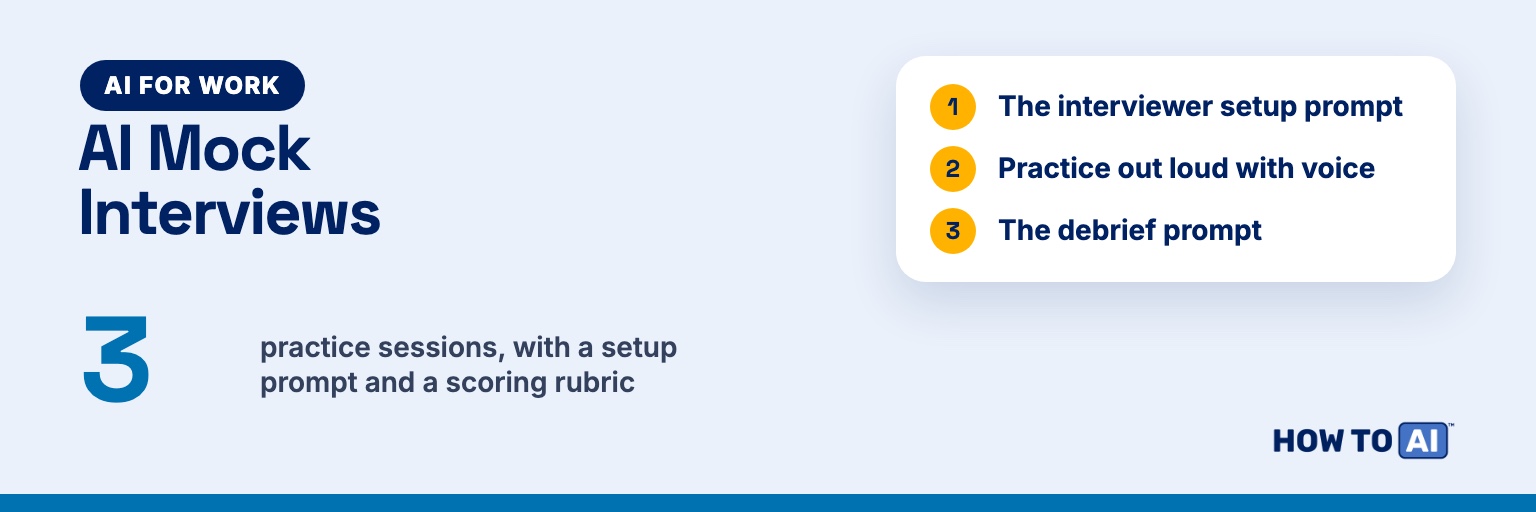
The catch is that both tools default to being a friendly helper, not a tough interviewer. Without clear rules, they tend to list several questions at once and go easy on you. This guide gives you a setup prompt that fixes that, how to practice by voice, variations for behavioral, technical, and case interviews, a debrief prompt, and a three-session plan.
Prep vs. rehearsal: if you still need to work out what to say (your stories, your pitch, likely questions), start with our guide to using AI as a personalized interview coach. This guide is the next step: the rehearsal, where you find out whether those answers hold up under pressure.
What you need before you start
- The full job description
- Your résumé with your contact details removed (the achievement notes from writing your résumé with AI work even better)
- What you know about the real interview: who you’ll meet, how long, video or in person
- 30 to 45 minutes somewhere quiet, plus headphones if you’ll use voice
The interviewer setup prompt
Paste this as a normal text message and fill in the brackets. Every rule is there because the default behavior gets in the way of realistic practice.
You are the hiring manager for the [JOB TITLE] role at [COMPANY]. This is a [entry-level / mid-level / senior / manager] position. Run a realistic mock interview with me.

Job description:
[PASTE]

My background (contact details removed):
[PASTE RÉSUMÉ OR ACHIEVEMENT NOTES]

Rules:
- Ask one question at a time, then stop and wait for my answer.
- Ask 6 main questions: an opener, 3 behavioral questions tied to this job's requirements, 1 role-specific question, and "Why this role?"
- After each answer, ask 1 or 2 follow-ups like a skeptical but fair interviewer: probe for my exact role, specifics, results, and what I'd do differently.
- Stay in character. Don't coach, praise, or score me during the interview.
- If I say "pause," step out of character and answer my question. If I say "resume," continue where we left off.
- After the last question, ask if I have questions for you, answer them in character, then close the interview.

When I say "end interview," score each answer from 1 to 5 on:
1. Structure: clear Situation, Task, Action, Result (STAR), no rambling
2. Specificity: numbers, tools, concrete details
3. Ownership: what I did, not just "we"
4. Relevance: tied to this job's requirements
5. Length: about two minutes or less when spoken

For each answer, give the scores, one thing that worked, one fix, and a better outline in bullet points using only facts I actually said. Outlines, not scripts.Why outlines instead of model answers? A polished script you didn’t write comes out stiff under pressure. An outline of your own facts is something you can say naturally.
Match the interviewer to your real interview. A recruiter screen is broader and lighter, a hiring manager goes deep on your experience, and a peer interview gets into how you work day to day. Change the first line to fit.
Practice out loud with voice mode
Typing lets you edit an answer before anyone sees it. Real interviews don’t. Once the text version feels comfortable, switch to voice. Both apps let you move between text and voice in the same conversation, so you can type the setup prompt first and then start talking. (If voice is new to you, here’s why talking to AI changes the answers you get.)
ChatGPT
According to OpenAI’s ChatGPT Voice help page, you select the Voice icon in the prompt window on chatgpt.com, or in the message bar in the iOS and Android apps. Allow microphone access if asked, pick a voice the first time, and start speaking. A mute control lets you silence your mic, and the exit control ends the call. As of September 2026, free accounts get limited voice time and paid plans get more; see the help page for current limits, or our ChatGPT Free vs Plus comparison.
If the interviewer jumps in while you pause to think, look under Settings → Voice. Depending on your plan, you may have a turn-by-turn “Standard” option that transcribes what you say before it responds.
Claude
Claude’s voice mode is a beta feature on all plans, including Free, and works on the iOS and Android apps, Claude Desktop, and the web, though Anthropic says it’s built to work best on your phone. Tap the sound wave icon (next to the microphone in the text box on mobile, or in the lower right of the chat window on the web), choose a voice, and start talking. Voice conversations count toward your plan’s usage limits.
Claude offers two listening modes. Hands-free is the default and responds when you pause. Push-to-talk has you hold a button while you speak, which is ideal for interview practice: you can stop mid-answer to think without the interviewer cutting in. Claude also saves a text transcript of voice conversations in your chat history, which you’ll need for the debrief.
Behavioral, technical, and case interviews need different setups
The setup prompt above is tuned for a general behavioral interview. For other formats, add one of these lines under “Rules”:
| Type | What it tests | Add to the setup prompt | Best mode |
|---|---|---|---|
| Behavioral | How you’ve handled real situations | “Ask ‘tell me about a time’ questions drawn from the job’s requirements. Follow up on what I personally did and what happened next.” | Voice |
| Technical | Knowledge and problem-solving | “Ask [LEVEL] technical questions for this role. Make me explain my reasoning out loud before my final answer. Don’t correct me until the debrief.” | Text for code, voice for concepts |
| Case | Structured thinking under ambiguity | “Give me a [consulting / product / operations] case. Share data only when I ask for it. Push back if I skip a step, and ask for my recommendation in 60 seconds at the end.” | Voice, with pen and paper |
One warning for technical practice: AI can be confidently wrong about technical details (here’s why AI makes things up). If the debrief “corrects” an answer you were sure about, check the official documentation before you change what you’d say.
The debrief prompt
The interview is only half the session. The debrief is where you find the patterns. Run this in the same chat right after you say “end interview”:
Step out of the interviewer role. Review the full transcript of this mock interview and give me a direct debrief. Don't soften it.

For each question:
- My answer in one line
- Scores (1 to 5) on structure, specificity, ownership, relevance, and length
- My strongest moment, quoting my words
- My weakest moment, quoting my words
- What a strong answer would have included, as an outline using only facts I gave. Mark anything I'd need to add as [ADD].

Then:
1. The top 3 patterns across all my answers (for example: long setup, "we" instead of "I," no numbers).
2. Filler words or hedges I repeated.
3. The one question I should practice again first.
4. Three follow-up questions a real interviewer would most likely ask next, based on what I said.
Copy the debrief into a document. Before the next session, fix the stories it flagged, then start the next session by pasting in the top 3 patterns so the interviewer can watch for them.
A 3-session practice plan
Three focused sessions, ideally on different days before the interview, beat one marathon the night before.
| Session | Mode | Focus | Goal |
|---|---|---|---|
| 1. Find the gaps | Text, untimed | 5 behavioral questions | Spot the stories with missing results or numbers, then fix them |
| 2. Under pressure | Voice | Behavioral plus role-specific or technical, with follow-ups | Answer each question in about two minutes; re-run your weakest one |
| 3. Dress rehearsal | Voice, real format | The full interview, start to finish | Practice the opener, the close, and your questions for them |
For session 3, copy the real format as closely as you can. If it’s a panel, ask the AI to play two or three interviewers with different priorities, such as the hiring manager, a future peer, and the manager’s boss, and to say who’s asking each question. Sit where you’ll sit on the day, and if it’s a video interview, turn your camera on and glance at yourself now and then. The AI can’t see you, but you can.
Common mistakes to avoid
- Letting it go easy on you. If the scores feel generous, say “Grade me as a tough interviewer at a competitive company would” and ask again.
- Only practicing in text. Text practice builds content. Voice practice builds delivery. You need both.
- Memorizing the AI’s model answers. Rehearse your outline and your key numbers, not someone else’s sentences.
- Skipping the job description. Without it, you get generic questions that could come from any interview.
- Sharing too much. Leave out contact details and confidential employer information, just as you would with any chatbot.
- Treating it as the whole job. An AI interviewer can’t read body language or the energy in a room. If you can, do one final run with a friend.
Try it now: one question, out loud
Open ChatGPT or Claude, paste the setup prompt with your job description, and change “6 main questions” to “2 main questions.” Answer the first one out loud using voice mode, or push-to-talk if you’re in Claude. Then say “end interview” and read your scores. Fifteen minutes will tell you which of your stories is ready and which isn’t.
For more prompts across the whole search, from résumé to follow-up email, grab the 2026 Job Search Prompt Vault.
🎁 Free download: The 2026 Job Search Prompt Vault
10 copy-paste prompts for résumés, cover letters, interview prep, and follow-ups, in one free Notion page. Free with your email address.
Related guides
- Use AI as a Personalized Interview Coach
- How to Write a Résumé With AI (That Doesn’t Sound Like AI)
- Job Scam Checker: How to Tell If a Job Is a Scam
- The 2026 Job Search Prompt Vault: 10 AI Prompts That Actually Work – DOWNLOADABLE!
- I Stopped Typing to My AI — Voice Gets You Better Answers (Free Kit)
Frequently asked questions
Is ChatGPT or Claude better for mock interviews?
Both handle the setup prompt well, so use the one you already have. For voice practice, Claude's push-to-talk mode is handy because you can pause to think without being interrupted. ChatGPT's voice options vary by plan and are listed under Settings, then Voice.
Do I need a paid plan to practice interviews by voice?
No. As of September 2026, ChatGPT gives free accounts limited voice time, and Claude's voice mode is available on all plans but counts toward your usage limits. Paid plans give you more room, so check each company's help page for current limits.
Can an AI mock interview replace practicing with a real person?
Not completely. AI is great for repetition, follow-up questions, and honest scoring whenever you have 20 minutes, but it can't see your body language or react to the feel of a room. Use AI for most of your reps, and do one final run with a friend or mentor if you can.
How is a mock interview different from AI interview prep?
Prep is building your material: likely questions, your stories, and your pitch. A mock interview tests that material live, one question at a time, with follow-ups and a score at the end. Do the prep first, then rehearse.