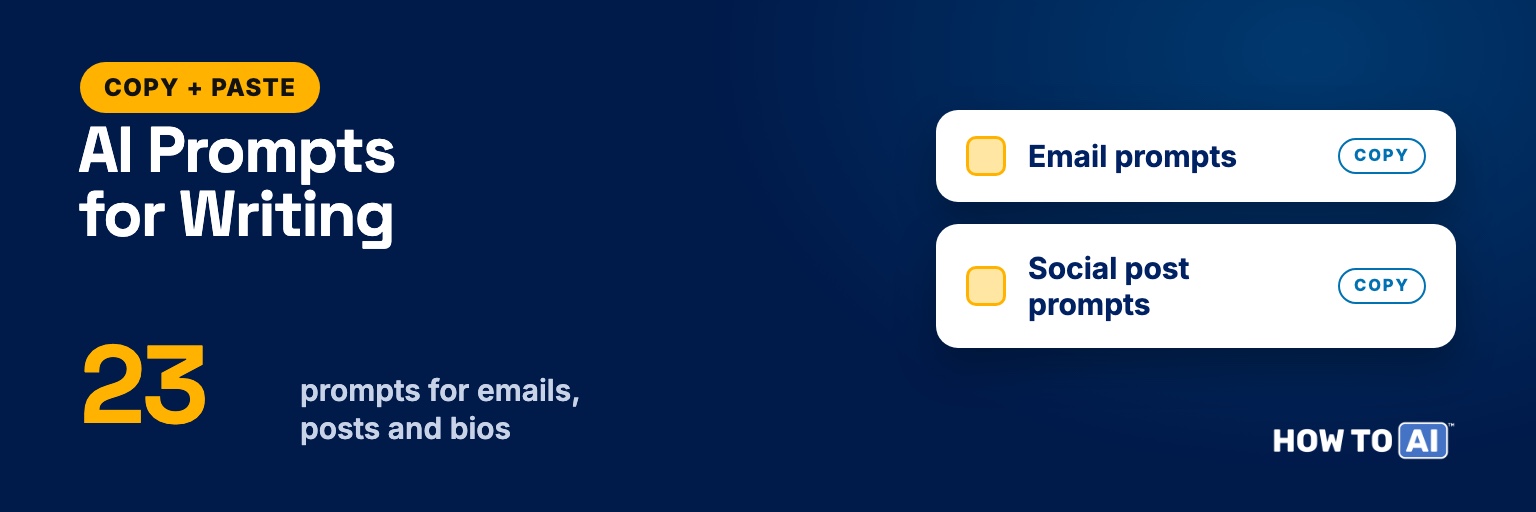
These copy-paste AI prompts for writing cover the three things most people write every week: emails, social posts, and bios. There’s also a set for editing drafts you’ve already written, and a short method for making AI writing sound like you instead of a chatbot.
Hit Copy on any prompt, replace the [BRACKETED PARTS] with your details, and paste it into ChatGPT, Claude, Gemini, or whatever AI you use. They’re free to copy, with no signup.
Three rules that make every writing prompt work
- Bring the raw material. Your notes, your story, your opinion. AI is good at shaping what you give it and bad at inventing things worth saying.
- Name the reader. “An email to a client” gets a template. “An email to a client who’s been waiting two weeks and is annoyed” gets something you can send.
- Ask for less. Word limits, one idea per post, one ask per email. Most AI drafts improve when you make them shorter.
Email prompts
For everyday emails, the three-part formula in how to write better emails with AI (context, task, tone) is the place to start. These six handle the emails that are harder to get right.
1. Rough notes to a finished email
Starting from your own words is the easiest way to get an email that sounds like you.
Turn my notes below into an email to [RECIPIENT AND HOW I KNOW THEM].
Keep my wording wherever it already works. Only fix what's unclear or clumsy.
What I want them to do or know: [GOAL].
Length: [e.g. under 120 words]. Tone: [e.g. warm and direct].
No greeting clichés, and no closing line like "Let me know if you have any questions!"

My notes: [PASTE NOTES OR A VOICE-MEMO TRANSCRIPT]2. An apology that owns the mistake
Write an apology email to [WHO] for [WHAT WENT WRONG].
What caused it, honestly: [CAUSE]. What I'm doing to fix it: [FIX AND DATE].
Say sorry once, clearly, in the first two sentences. No excuses and no "sorry for any inconvenience."
Explain the fix and what will change so it doesn't happen again.
Under 130 words.3. Ask a busy person for a favor
An easy yes and an easy no both make a reply more likely.
Write an email asking [NAME, AND WHO THEY ARE TO ME] for [THE FAVOR].
Why I'm asking them specifically: [REASON]. How much of their time it takes: [ESTIMATE].
Make it easy to say yes (a small, clear ask) and easy to say no (an explicit, guilt-free out).
Under 110 words. Warm and specific, no flattery.4. A thank-you note that’s actually specific
Write a thank-you note to [NAME] for [WHAT THEY DID].
The difference it made: [THE RESULT OR MOMENT].
Include one concrete detail so the note couldn't have been sent to anyone else.
3 to 5 sentences, sincere but not gushing.
Format: [EMAIL / HANDWRITTEN CARD / CHAT MESSAGE].5. Announce a change to a group
Write an email announcing [THE CHANGE] to [AUDIENCE].
First sentence: what's changing and when. Then: why, what people need to do (if anything),
and who to ask with questions.
Answer the most likely worry, [LIKELY CONCERN], plainly.
Under 180 words, with short paragraphs or bullets for any steps.6. Subject lines people will open
Here's my email: [PASTE EMAIL]
Write 6 subject lines: 2 plain and descriptive, 2 that lead with the benefit to the reader,
and 2 phrased as a question. Each under 8 words.
No clickbait, no ALL CAPS, no "Quick question."
Tell me which one you'd pick for [AUDIENCE] and why.Social post prompts
These are written with LinkedIn in mind but work anywhere you post. For a full walk-through of polishing a post, see how to polish your LinkedIn posts with AI.
7. Interview me, then write the post
Letting the AI ask the questions pulls out the specific story that makes a post worth reading.
I want to write a LinkedIn post about [TOPIC OR LESSON].
Before writing anything, ask me 5 questions, one at a time, to draw out a specific story, detail, or opinion.
After my last answer, write the post using my own phrases wherever you can.
Short paragraphs, a first line that makes people stop scrolling,
and no pile of hashtags at the end.8. Share news without bragging
Write a LinkedIn post announcing [NEWS, e.g. new job / promotion / certification / launch].
Include what happened, one honest detail about how I got here ([DETAIL]),
and a thank-you to [PEOPLE OR GROUPS] that says what they actually did.
End with something useful to readers, like a tip or an offer to help, not "Thoughts?"
Under 150 words. Confident, not boastful.9. Turn one piece of writing into five posts
Here's an article, talk, or newsletter I wrote: [PASTE OR SUMMARIZE].
Turn it into 5 standalone posts for [PLATFORM], each built on a different single idea from it.
For each: a strong first line, 3 to 5 short lines of body, and a closing line.
Keep my examples and numbers exactly as they are. Don't add new claims.10. Ten first lines to choose from
The first line decides whether anyone reads the rest.
Here's the post I've drafted: [PASTE DRAFT]
Write 10 alternative first lines. Mix the styles: a surprising fact from my draft, the start of a story,
a contrarian statement, a direct question, and a plain one-line summary.
Each under 20 words. Use only details that are already in my draft.11. A comment that adds something
Here's a post I want to comment on: [PASTE POST]
My honest reaction or related experience: [YOUR TAKE, IN ROUGH WORDS].
Write 3 comment options, 2 to 4 sentences each, that add a specific point or example
instead of just agreeing.
No "Great post!" openers and no emojis.Bio prompts
Bios are hard because you’re writing about yourself. Each prompt below tells the AI to use only the facts you give it, because AI sometimes adds a credential or result you never mentioned. Check the output line by line anyway.
12. Professional bio (third person)
For a company website, a conference program, or a proposal.
Write a professional bio for me in third person for [WHERE IT WILL APPEAR].
Facts: [ROLE, EMPLOYER, YEARS OF EXPERIENCE, KEY RESULTS, CREDENTIALS, WHAT I'M KNOWN FOR].
One personal detail I'm happy to share: [DETAIL].
Give me three lengths: 50 words, 100 words, and 200 words.
Lead with what I do for people, not my job title. Use only the facts above.13. Short social bio
Write 8 options for a one-line bio on my [PLATFORM] profile.
Who I am and what I post about: [DESCRIPTION]. Who I'd like to reach: [AUDIENCE].
Keep each under [CHARACTER LIMIT] characters (check the platform's current limit).
Mix the styles: straightforward, lightly funny, and "here's what you get if you follow me."
No buzzwords like "passionate" or "thought leader."14. Speaker bio and introduction
The read-aloud version needs shorter sentences than the printed one.
I'm speaking at [EVENT] about [TOPIC] to [AUDIENCE].
Facts about me: [ROLE, EXPERIENCE, RELEVANT RESULTS, ONE MEMORABLE DETAIL].
Write two things:
1. A 75-word bio for the printed program, in third person.
2. A 30-second introduction the host can read aloud: short, easy-to-say sentences,
ending with a line on why this talk matters to this audience.
Use only the facts above.15. LinkedIn About section
Write my LinkedIn About section in first person.
Who I help and how: [DESCRIPTION]. Proof: [2 TO 4 RESULTS, WITH NUMBERS].
How I work or what I believe about my field: [ONE OR TWO SENTENCES].
What I'd like readers to do: [e.g. get in touch about X].
Make the first two lines work on their own, since many readers only see a preview.
Short paragraphs. No "results-driven professional" language.Prompts for editing your own writing
These keep you as the author. Instead of handing back a rewrite that sounds like someone else, they show you what to change. For grammar-only checks, see also using AI as your personal proofreader, and for a one-shot trim, the editor prompt I reuse every day.
16. Tighten it, one change at a time
Before-and-after pairs let you keep the edits you like and ignore the rest.
Tighten the draft below without changing my meaning or my voice.
Don't give me a full rewrite. List your changes as before / after pairs, one per line,
most useful first, so I can accept or reject each one.
Focus on repetition, filler words, and sentences that say the same thing twice.

[PASTE DRAFT]17. Fix the tone before you send it
Here's a message I'm about to send to [RECIPIENT]: [PASTE MESSAGE]
I want it to come across as [INTENDED TONE, e.g. firm but friendly].
First tell me how it's likely to land, quoting any phrases that could read as
passive-aggressive, cold, defensive, or overly apologetic.
Then give me a revised version that changes only those phrases.18. Check the structure
Useful for anything longer than a page, when you can feel it’s off but can’t say why.
Make a reverse outline of my draft: one line per paragraph saying what that paragraph does.
Then tell me: my main point in one sentence, where it first appears,
which paragraphs repeat each other, and what order would make the argument clearer.
Don't rewrite anything yet.

[PASTE DRAFT]19. Proofread only, no rewriting
Proofread the text below for spelling, grammar, punctuation, and typos only.
Don't change my word choice, style, or sentence structure.
List each fix as: original phrase / corrected phrase / reason in 3 words or fewer.
If something is a style choice rather than an error, leave it alone. Use [US / UK] spelling.

[PASTE TEXT]20. Read it as your audience would
Read my draft as [SPECIFIC READER, e.g. a busy hiring manager / a first-time customer / my skeptical team].
Tell me where you'd stop reading, what confused you, what question you'd still have at the end,
and the one sentence you'd remember.
Be honest. Only mention what's working if it's useful for me to know.

[PASTE DRAFT]How to make AI writing sound like you
AI writing tends to sound like AI for three reasons: it starts from nothing, it drifts toward an average style, and it smooths away the specific details that make writing yours. Each of those has a fix.
- Start from your words. A messy brain dump, a voice-memo transcript, or bullet notes. The AI’s job is to shape your material, not supply it.
- Give it samples, not adjectives. Three real things you’ve written tell the AI far more than “friendly but professional.” The voice-profile prompt below turns those samples into reusable instructions.
- Protect the specifics. Names, numbers, odd details, and your actual opinion. Tell the AI to keep them exactly as written.
- Ban the tells. Common giveaways include stacked em dashes, “It’s not just X, it’s Y,” everything in threes, and “Moreover.” The third prompt below removes them.
- Do the last pass yourself. Read it out loud. Change anything you wouldn’t actually say.
Once you have a voice profile, save it so you don’t have to paste it every time. ChatGPT has custom instructions in its personalization settings, Claude has account-wide and project instructions, and Gemini lets you build a custom Gem with its own instructions. If your AI still sounds bland after that, the usual cause is missing context; here’s the fix for generic answers.
21. Build your voice profile from samples
Do this once. Save the result and reuse it everywhere.
Below are [NUMBER] samples of my writing: [TYPES, e.g. two emails and a LinkedIn post].
Study them and write a voice profile I can reuse: sentence length, vocabulary, how formal I am,
how I open and close, punctuation habits, words and phrases I use often, and things I never do.
Keep it under 150 words, written as instructions to an AI ("Write in short sentences...").

[PASTE SAMPLES, SEPARATED BY ---]22. Write something new in your voice
Use this voice profile: [PASTE YOUR VOICE PROFILE]
Write [WHAT YOU NEED] for [AUDIENCE], based on my notes below.
Keep my specific details, names, and numbers exactly as written.
If a sentence sounds more like a press release than like me, make it plainer.

My notes: [PASTE NOTES]23. Strip out the AI tells
Run this on any draft that feels a little too smooth.
Edit the draft below so it reads like a person wrote it, not a chatbot.
Remove or rewrite: stacked em dashes, "It's not just X, it's Y" constructions,
filler transitions like "Moreover" and "Furthermore," automatic lists of three,
generic openers and closers, and any sentence that sounds impressive but says nothing.
Keep my meaning and specific details. Show the edited version, then list what you changed.

[PASTE DRAFT]Common mistakes with AI writing prompts
- Asking for “a post about leadership.” With no raw material, you get a bland, middle-of-the-road post. Start with your story or your point, even if it’s rough.
- Accepting the first draft. Reply with “shorter,” “less formal,” or “keep my phrase about the deadline.” Two quick follow-ups usually beat a longer first prompt.
- Letting it invent details. Bios and posts should only contain facts you supplied. AI will sometimes add a credential, a number, or a quote you never mentioned, so check every claim before you publish.
- Over-polishing. If every sentence is perfectly balanced, it reads as machine-made. Leave a little of your own roughness in.
- Pasting other people’s private details. A name in a thank-you note is fine. Someone’s personal situation or contact details don’t belong in a chatbot.
Try it now: build your voice profile
Find three things you’ve written recently that sound like you: an email, a message, a post. Paste them into prompt 21 and save the voice profile it gives you in a note.
The next time you need to write something, start with prompt 22 and your rough notes. Compare how much editing it needs against your usual first draft.
🎁 Free download: The 5-Minute Email Toolkit
The Context → Task → Tone template plus 10 ready-to-send email prompts: the polite decline, the follow-up that isn’t pushy, the payment reminder, and more. Free with your email address.
Related guides
- 50 copy-paste AI prompts for work
- How to write a résumé with AI (that doesn’t sound like AI)
- The complete guide to AI prompting
- How to Write Better Emails With AI in 5 Minutes
- Polish Your LinkedIn Posts with AI
Frequently asked questions
What's the best AI prompt for writing an email?
Start from your own rough notes and tell the AI who the email is for, what you want them to do, and how it should sound. Adding a word limit and banning greeting cliches removes most of the robotic feel. The first prompt in this list does all of that.
How do I get AI to write in my own style?
Give it samples instead of adjectives. Paste three things you've written, ask for a reusable voice profile, and include that profile whenever you ask for a draft. Saving it in your AI tool's custom instructions means you only set it up once.
Will people be able to tell I used AI?
Readers notice generic writing more than they notice AI. A draft that starts from your ideas, keeps your specific details, and gets a final read-through from you sounds like you. If your school or employer has rules about AI use, follow them.
Which AI is best for writing: ChatGPT, Claude, or Gemini?
All three handle these prompts well, and every prompt here is plain text that works in any of them. The bigger difference comes from the context and samples you give. Pick the one you'll actually open every day.