
AI-103 Study Guide & Cheat Sheet (Azure AI Apps & Agents Developer)
A free study guide for Microsoft’s new AI-103 exam — Developing AI Apps and Agents on Azure — exam facts, the domain breakdown, study tips, a topic cheat sheet, and a full glossary. No sign-up needed.
Ready to practice? Take the free AI-103 practice quiz → · Get the full exam prep →
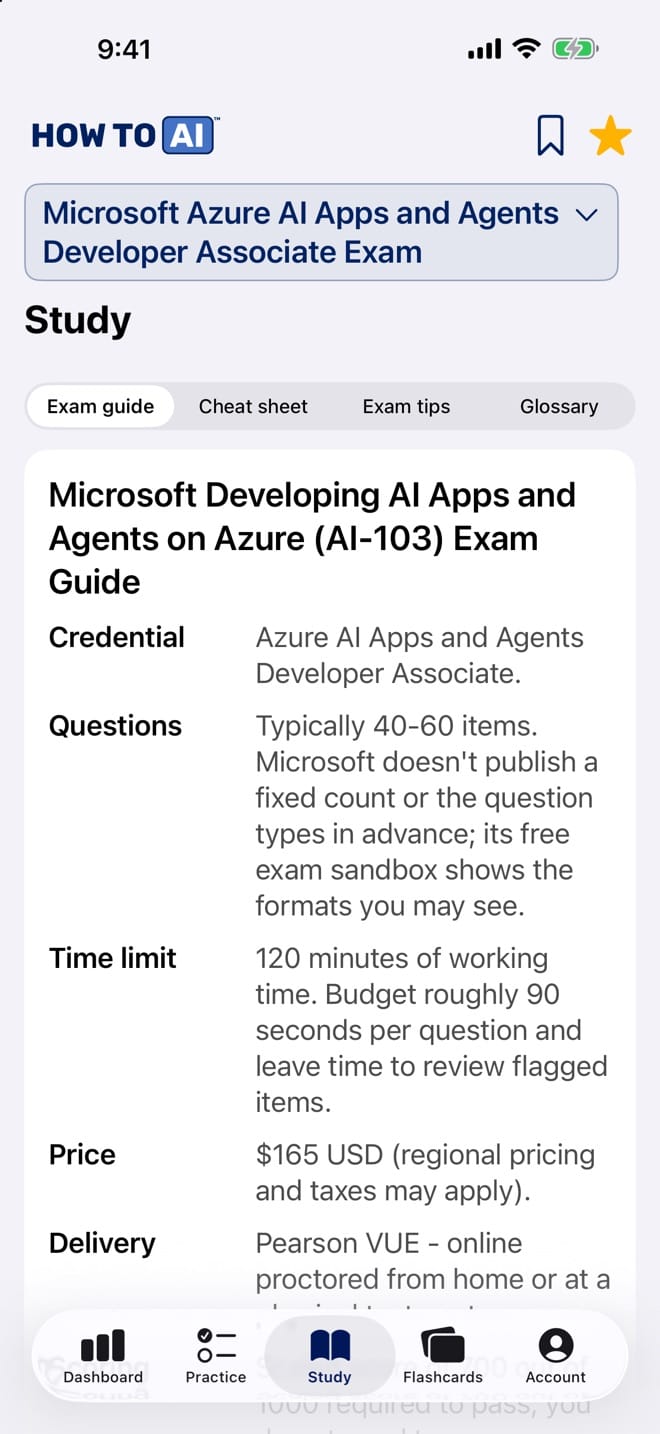
Take this guide with you
The same study guide, cheat sheet and glossary live in HOW TO // AI CERT on iPhone, next to 5,245 original practice questions, timed mock exams, flashcards and an AI tutor powered by Claude. Free to download, with a free question set for every exam.

Who AI-103 is for
AI-103 is Microsoft’s developer-level Azure AI exam, and it is new: beta in April 2026, generally available around June. That is an advantage, because the skills outline and domain weights are public while structured prep is still thin. It replaced AI-102, which Microsoft retired on 30 June 2026, so anything written for AI-102 is now history — here is what changed.
The centre of gravity has moved. Generative AI and agentic solutions is the largest domain, with planning and managing an Azure AI solution close behind, and the classic vision and language topics now share the rest. If you are choosing between this and the fundamentals exam, AI-901 vs AI-103 compares them.
How to use this guide
- Put your hours where the weights are: generative AI and agents first, planning and managing second.
- Read the tips for how Microsoft frames developer-level scenarios.
- Turn the cheat sheet into lab work. This is a build-things exam; mark anything you have not done in a real Azure resource.
- Then practise under time with our free AI-103 questions, which explain every answer.
Before you book
Check what AI-103 costs where you live and whether it is worth it. Tempted by shortcuts on a new exam? Read this first. For a schedule, follow our three-week plan.
Microsoft Developing AI Apps and Agents on Azure (AI-103) Exam Guide
| Credential | Azure AI Apps and Agents Developer Associate. |
|---|---|
| Questions | Typically 40-60 items. Microsoft doesn't publish a fixed count or the question types in advance; its free exam sandbox shows the formats you may see. |
| Time limit | 120 minutes of working time. Budget roughly 90 seconds per question and leave time to review flagged items. |
| Price | $165 USD (regional pricing and taxes may apply). |
| Delivery | Pearson VUE - online proctored from home or at a physical test center. |
| Scoring | Scaled score of 700 out of 1000 required to pass; you do not need to answer every question correctly. |
| Availability | Beta exam opened April 2026; the exam became generally available (GA) in June 2026. |
| Renewal | Associate certifications are valid for one year. Renew for free before expiration by passing a short online assessment on Microsoft Learn - no proctored retake required. |
| Prerequisites | None enforced, but Microsoft recommends hands-on experience building apps with Python and the Azure SDK, plus working familiarity with Microsoft Foundry, before attempting the exam. |
| Language | English, Chinese (Simplified), Chinese (Traditional), French, German, Japanese, Korean, Italian, Portuguese (Brazil) and Spanish. |
Exam domains
| Domain | Weight | What it covers |
|---|---|---|
| Plan and manage an Azure AI solution | 28% | Officially weighted 25-30%. Covers choosing the right Foundry services for a scenario: an appropriate model (large language model, small language model, multimodal model or a Foundry Tool), the right service for generation, grounding, vector search, agent workflows or multimodal processing, and the right retrieval, indexing, memory, tool and knowledge integrations for agents. Also covers setting up AI solutions in Foundry, including infrastructure design, deployment options, model and agent deployment configuration and CI/CD integration for Foundry projects; managing quotas, scaling, rate limits and cost; monitoring performance, drift, safety events, grounding quality and search index health; securing solutions with managed identity, private networking, keyless credentials and role policies; and implementing responsible AI through safety filters, guardrails, evaluators, trace logging and agent oversight controls. |
| Implement generative AI and agentic solutions | 33% | Officially weighted 30-35% and the largest domain. Covers building and consuming chat and completion models through the Microsoft Foundry SDK for Python, prompt engineering (system prompts, few-shot examples, temperature and other sampling parameters), and implementing retrieval-augmented generation (RAG) by grounding a model with an external knowledge source such as Azure AI Search. Also covers building agents with Microsoft Foundry Agent Service - defining instructions, attaching tools and knowledge sources, implementing function/tool calling, and composing multi-agent solutions where agents hand off or delegate subtasks to one another. Includes evaluating and tracing agent and generative behavior with the Foundry evaluation SDK and OpenTelemetry-based tracing, plus applying content-safety filters and guardrails against harmful output and prompt injection. |
| Implement computer vision solutions | 13% | Officially weighted 10-15%. Covers designing and implementing image and video generation from text prompts and reference media, including image editing with inpainting, mask-based and prompt-driven edits, editing generated video, and choosing the generation and editing controls the platform provides. Also covers multimodal understanding workflows: analyzing visual context with multimodal models, generating captions, alt text and extended image descriptions, question answering grounded in visual evidence, extracting visual characteristics and analyzing video with Azure Content Understanding in Foundry Tools, and identifying objects or regions in images and video. Responsible AI for multimodal content is included too: filtering unsafe visual content, detecting indirect prompt injection carried in embedded image text, and enforcing visual policy rules such as watermarks and brand requirements. |
| Implement text analysis solutions | 13% | Officially weighted 10-15%. Covers language model text analysis: extracting entities, topics, summaries and structured JSON output with generative prompting and Foundry Tools, detecting sentiment, tone, safety issues and sensitive content, translating text with Azure Translator in Foundry Tools or LLM-powered translation flows, and customizing model output for domain tasks such as compliance summarization. The domain also covers speech: speech-to-text and text-to-speech for agentic interactions, speech as an agent modality including custom speech models, multimodal reasoning from audio input, and speech translation with language models and Foundry Tools. |
| Implement information extraction solutions | 13% | Officially weighted 10-15%. Covers building retrieval and grounding pipelines: ingesting and indexing documents, images, audio and video, configuring semantic, hybrid and vector search for grounding, enriching content with built-in or custom skills for text, images and layout, running RAG ingestion with OCR, and connecting retrieval directly to workflows and agent tools. Also covers extracting content from documents with multimodal pipelines that combine OCR, layout analysis and field extraction, and using Azure Content Understanding to produce clean, grounded representations and structured or markdown output for agents, RAG and downstream reasoning. |
Who it’s for: Python developers and AI engineers who design, build, and operate generative AI applications and autonomous agents on Azure using Microsoft Foundry. Candidates are expected to work comfortably with the Foundry SDK and REST APIs, wire up retrieval-augmented generation and tool-calling agents, extract structured data from documents and media, and apply responsible-AI, security, and observability practices throughout - not just recognize service names, but implement and troubleshoot working solutions.
Study & test-day tips
- Think agent-first: most scenario questions now assume you are building an agent (model + instructions + tools + knowledge) rather than a single-turn chatbot. Know the Microsoft Foundry Agent Service pattern - creating an agent, attaching tools, running a thread, and reading back tool-call results - cold.
- Get hands-on with the Microsoft Foundry SDK for Python before test day. Several questions test exact client/method names and code-completion snippets, which is hard to memorize from reading alone.
- Know the full RAG pipeline end to end: chunk source documents, embed the chunks, index them in Azure AI Search, retrieve with vector/hybrid/semantic search (adding a semantic ranker when relevance matters), then ground the model's prompt with the retrieved passages before generating.
- Learn Azure Content Understanding in Foundry Tools thoroughly. The AI-103 outline names it for visual understanding, video analysis and document extraction, so expect scenarios that ask you to configure an analyzer or choose between single-task and pro-mode pipelines. Pro mode was retired with the 2025-05-01-preview API; today that choice is a standard analyzer or agentic mode (preview), set with config.workflow.
- Master model-selection trade-offs: small language models (SLMs) for low-latency or cost-sensitive tasks, large language models (LLMs) for complex reasoning and long context, and multimodal models when the input or output spans text, image, or audio.
- Responsible AI and safety are tested across every domain, not just one section. Know guardrail (formerly content filter) severity levels, groundedness detection, and Prompt Shields that defend against both direct and indirect prompt injection.
- Learn observability end to end: the Foundry evaluation SDK's built-in evaluators (groundedness, relevance, coherence, fluency, safety) and OpenTelemetry-based tracing surfaced through Azure Monitor and Application Insights for debugging agent runs in production.
- Default to security-by-design: prefer Microsoft Entra ID and managed identity over API keys for service-to-service calls, understand private endpoints and network isolation, and know which Azure RBAC roles scope access to a Foundry project versus the broader resource.
- Know deployment and capacity options and their cost/latency trade-offs: pay-as-you-go (global/standard) deployments, provisioned throughput units (PTUs) for predictable high-volume workloads, and per-model regional and quota (TPM) constraints.
- Read scenario questions all the way through before answering. Many AI-103 skills combine planning, implementation, and troubleshooting, so identify which domain a question is really testing before you pick an answer.
- Use Microsoft Learn's AI-103 learning path plus a free Microsoft Foundry project to see agents, tool calling, and Content Understanding schemas working live - recognizing the SDK and portal experience firsthand pays off on wording-heavy scenario questions.
Cheat sheet
Planning an Azure AI solution
- A Microsoft Foundry project groups models, agents, tools, and connections for a solution; choose a single-service resource instead only when you need just one narrow capability (e.g., only Translator).
- Pick LLM vs. SLM vs. multimodal by the job: complex multi-step reasoning or long context favors an LLM; low-latency, cost-sensitive, or edge-deployable tasks favor an SLM; any task mixing text with image/audio input or output needs a multimodal model.
- Capacity is governed by quota expressed in tokens-per-minute (TPM) per model and deployment type, held per region unless the model has moved to subscription-level quota management (one Global Standard pool across all regions, one Data Zone Standard pool per data zone); pay-as-you-go (standard/global) deployments share capacity, while provisioned throughput units (PTUs) reserve dedicated, predictable capacity for high-volume workloads.
- Prefer Microsoft Entra ID with managed identity over API keys for any service-to-service call; scope Azure RBAC roles as narrowly as possible to a Foundry project rather than the whole resource.
- Plan monitoring up front: Azure Monitor and Application Insights capture resource-level metrics and cost, while Foundry tracing captures per-request/agent-run detail for debugging.
Generative AI on Microsoft Foundry
- A prompt's system prompt sets persistent behavior/role; user/assistant turns carry the conversation; temperature (and top_p) controls how random vs. deterministic the output is.
- Tokens are the units models process and are billed on; both input and output tokens count against quota and cost.
- Function calling lets a model emit a structured, schema-matched request for your code to execute; tool calling is the broader agent concept of invoking any external capability (a function, a hosted tool, or a knowledge source) mid-task.
- The Foundry SDK for Python (azure-ai-projects / azure-ai-agents) is the primary way exam scenarios create clients, deployments, and agents - know the basic create/run/poll pattern.
- Evaluate generative output with built-in evaluators for groundedness, relevance, coherence, fluency, and safety before shipping a change to production.
Agents and multi-agent orchestration
- An agent bundles a model, instructions, a set of tools, and optionally a knowledge source (like a vector index) behind a single callable identity with persistent conversation threads.
- Multi-agent orchestration composes several narrowly scoped agents (e.g., a router agent that delegates to a research agent and a writer agent) instead of one agent trying to do everything.
- MCP-style tool integration standardizes how an agent discovers and calls external tools/resources through a common protocol, instead of a bespoke integration per tool.
- Trace every agent run (which tool was called, with what arguments, and what it returned) so failures can be diagnosed step by step rather than only inspecting the final answer.
- Guardrails - Foundry guardrails for harmful content and prompt attacks (formerly content filters), allow/deny tool lists, and output validation - should wrap agent actions, especially before an agent is allowed to take a real-world action (send an email, write a record).
RAG and Azure AI Search
- Chunking splits source documents into retrieval-sized passages before indexing; chunk size/overlap materially affects retrieval quality.
- Embeddings turn text (or chunks) into numeric vectors so semantically similar content lands close together in vector space.
- Vector search finds nearest-neighbor matches by embedding similarity; hybrid search combines vector search with traditional keyword search for better recall; a semantic ranker then re-scores the combined results for relevance.
- Grounding means constraining the model's answer to retrieved, verifiable content instead of relying on parametric knowledge alone - the core defense against hallucination in RAG.
- Provenance - tracking which source document/chunk backed a given answer - matters both for user trust and for auditing a RAG system's outputs.
Computer vision & multimodal generation
- Multimodal models analyze visual context, generate captions and alt text, and answer questions grounded in what an image shows.
- OCR reads printed or handwritten text out of images; it underlies many document and information-extraction scenarios as a building block.
- Inpainting regenerates a masked region of an image (e.g., removing or replacing an object); outpainting extends an image beyond its original borders - both are multimodal generation tasks available through Foundry model catalog models.
- Content Understanding extracts visual characteristics and analyzes video segments; for documents, use a standard analyzer for straightforward extraction, or agentic mode (preview, the successor to the retired pro mode) when the answer needs reasoning, calculation, or validation.
- Speech-to-text transcribes spoken audio for downstream text analysis or as agent input; pair it with text-to-speech when a solution needs a spoken response.
Text analysis (Azure Language in Foundry Tools)
- Sentiment analysis scores text positive/negative/neutral/mixed; key phrase extraction pulls out the main talking points; NER tags people, places, organizations, and other entity types.
- PII detection identifies and can redact sensitive data (names, numbers, health/financial identifiers) from text before storage or display.
- Summarization can be extractive (pulls representative sentences) or abstractive (generates new, shorter phrasing) depending on the scenario's need for exact wording vs. brevity.
- Speech sits inside text analysis on AI-103: speech-to-text and text-to-speech for agents, custom speech models, and speech translation.
- Translate text with Azure Translator in Foundry Tools or with an LLM-powered translation flow.
Information extraction & Content Understanding
- Content Understanding extracts structured, schema-defined fields (plus confidence scores) from documents, images, audio, and video in one unified service.
- Use a prebuilt Content Understanding analyzer for common document types; define a custom schema when you need domain-specific fields the prebuilt analyzer doesn't cover.
- Combine OCR, layout analysis and field extraction in a multimodal pipeline, then use Content Understanding analyzers to emit structured or markdown output for agents and RAG.
- Confidence scores on extracted fields let an application route low-confidence extractions to human review instead of trusting every field automatically.
- Feed extracted, structured content into an Azure AI Search index to power downstream search, knowledge mining, or RAG grounding.
Responsible AI, safety & security
- Content safety filters (Foundry guardrails, formerly content filters) score generated and user input content by severity across categories (e.g., hate, violence, self-harm, sexual) and can block or flag content above a threshold.
- Prompt injection is an attempt (direct, in the user's own message, or indirect, hidden in retrieved/external content) to override a model's instructions; prompt shields and strict system-prompt boundaries defend against both.
- Hallucination (fabrication) is confident but false or unsupported model output; grounding, evaluators, and citation of sources are the primary mitigations.
- A model card documents a model's intended use, known limitations, and evaluation results - consult it before selecting a model for a sensitive scenario.
- Roll out changes gradually with a canary or shadow deployment - routing a small slice of traffic (canary) or a mirrored copy of traffic (shadow) to the new model/prompt version - before a full cutover.
Glossary
- Microsoft Foundry
- Microsoft's unified platform for building, deploying, evaluating, and governing AI applications and agents, organized around projects that hold models, agents, tools, and data connections.
- Foundry project
- The container within Microsoft Foundry that scopes a solution's models, deployed agents, connected data sources, and access permissions.
- Foundry Agent Service
- The Microsoft Foundry capability for defining, running, and managing agents - model plus instructions, tools, and knowledge - behind a persistent, callable identity with conversation threads.
- Agent
- An AI system that combines a model with instructions, a set of callable tools, and optionally a knowledge source, so it can plan and take multi-step actions toward a goal rather than answer a single prompt.
- Tool calling
- The general agentic pattern of an agent invoking an external capability - a function, a hosted tool, or a knowledge source - as a step toward completing a task.
- Function calling
- A specific model capability where the model emits a structured, schema-matched request naming a function and its arguments, which the calling application then executes and returns results from.
- MCP-style tool integration
- Exposing and discovering agent tools through a standardized protocol (modeled on the Model Context Protocol) instead of a custom integration per tool, so agents can plug into new tools with minimal glue code.
- Multi-agent orchestration
- Composing multiple narrowly scoped agents - such as a router, a retriever, and a writer - that hand off subtasks to one another rather than relying on a single agent to do everything.
- Retrieval-augmented generation (RAG)
- A pattern where a model's prompt is augmented with content retrieved from an external knowledge source at request time, so answers are grounded in that content instead of relying only on the model's trained knowledge.
- Grounding
- Constraining a model's response to specific, verifiable source content (typically retrieved via RAG) to reduce hallucination and support citing sources.
- Embedding
- A numeric vector representation of text (or other content) positioned so that semantically similar inputs produce vectors that are close together.
- Vector search
- Retrieval that finds the nearest-neighbor matches to a query embedding in vector space, surfacing content that is semantically similar even without shared keywords.
- Hybrid search
- Retrieval that combines vector (semantic) search with traditional keyword search to improve recall over either method alone.
- Semantic ranker
- A re-ranking step applied after initial retrieval that re-scores candidate results by relevance to the query, typically improving the ordering hybrid or vector search alone would produce.
- Chunking
- Splitting source documents into smaller, retrieval-sized passages before embedding and indexing, so relevant portions - not entire documents - are returned to ground a prompt.
- Content Understanding
- An Azure service that extracts structured, schema-defined fields and confidence scores from documents, images, audio, and video using prebuilt or custom analyzer schemas.
- Optical character recognition (OCR)
- The extraction of printed or handwritten text from images or scanned documents into machine-readable text.
- Inpainting
- A generative image-editing technique that regenerates a masked region of an image, such as removing or replacing an object while keeping the surrounding image consistent.
- Speech-to-text
- Automatic transcription of spoken audio into written text, often used as an input stage before text analysis or as an agent's voice interface.
- Token
- The unit of text (roughly a word piece) that a language model processes and that usage/cost and quota are measured in, counted across both input and output.
- Temperature
- A sampling parameter that controls output randomness - lower values make responses more deterministic and focused, higher values make them more varied and creative.
- System prompt
- The instruction given to a model before the conversation begins that sets its persistent role, tone, and behavioral boundaries for the rest of the session.
- Large language model (LLM)
- A model with a large parameter count trained for broad language understanding and generation, favored for complex reasoning and long-context tasks at higher cost and latency.
- Small language model (SLM)
- A more compact model optimized for lower latency, lower cost, or on-device/edge deployment, trading some general capability for efficiency.
- Hallucination (fabrication)
- Model output that is fluent and confident but factually incorrect or unsupported by any real source, a key risk RAG grounding and evaluators aim to reduce.
- Prompt injection
- An attempt to override a model's or agent's instructions through crafted input, causing it to ignore its original system prompt or perform unintended actions.
- Indirect prompt injection
- Prompt injection delivered through content the model retrieves or processes (a web page, document, or tool result) rather than typed directly by the user, making it harder to spot and filter.
- Managed identity
- An automatically managed Microsoft Entra ID identity assigned to an Azure resource, letting it authenticate to other Azure services without storing or rotating secrets or API keys.
- Content safety
- Azure tooling that scores generated and user-submitted content by category and severity (such as hate, violence, self-harm, and sexual content) and can block or flag it above a configured threshold.
- Guardrail
- A constraint placed around a model's or agent's behavior - such as harmful-content controls, an allow-list of callable tools, or output validation - that limits what it is permitted to do or say. In Microsoft Foundry, a guardrail (formerly a content filter) is a named collection of controls that detect risks such as harmful content or prompt attacks and annotate or block them.
- Evaluator
- A built-in or custom scoring function used to measure generative or agentic output quality along a dimension such as groundedness, relevance, coherence, fluency, or safety.
- Provenance
- Traceable evidence of which source document, chunk, or tool result backed a given model answer, supporting auditing and user trust in a RAG or agentic system.
- Model card
- Documentation published alongside a model describing its intended uses, known limitations, and evaluation results, used to judge fitness for a given scenario.
- Canary/shadow deployment
- A gradual rollout strategy where a new model, prompt, or agent version receives a small slice of live traffic (canary) or a mirrored copy of traffic without affecting real responses (shadow) before a full cutover.
- Quota (TPM)
- The tokens-per-minute limit Azure enforces per subscription, model, and deployment type, per region or, for models on subscription-level quota management, in one pool across all regions (Global Standard) or per data zone (Data Zone Standard), which caps how much traffic a deployment can serve and must be planned for alongside cost.
Put it into practice
Studying is step one — practice questions are where it sticks. Start with free AI-103 practice questions, then go Pro for the full ~300-question bank, timed mocks, and an AI tutor.
Keep reading: AI-901 vs AI-103: which Azure AI cert? · Microsoft’s new AI certification path, explained · Need the fundamentals first? The AI-901 study guide
HOW TO // AI is not affiliated with or endorsed by Microsoft. AI-103, Azure AI Apps and Agents Developer Associate, and Azure are certifications and trademarks of Microsoft Corporation; we reference them descriptively. All content is original.
Practice for every AI & cloud cert
- NVIDIA NCA-AIIO practice questions
- NVIDIA NCA-GENL practice questions
- AWS AIF-C01 practice questions
- AWS MLA-C02 practice questions
- AWS MLA-C01 practice questions
- Microsoft AI-901 practice questions
- VMware VCP-VCF Administrator practice questions
- CompTIA AI Fundamentals practice questions
- Google Cloud Generative AI Leader practice questions
- Oracle OCI AI Foundations practice questions
- CertNexus AIP-210 practice questions
- Anthropic CCAO-F practice questions
- Anthropic CCDV-F practice questions
- Anthropic CCAR-F practice questions
- Anthropic CCAR-P practice questions
- All AI & cloud exam prep →
Frequently asked questions
How much does the AI-103 exam cost and what passes?
$165 US with a 700/1000 passing score. AI-103 leads to the Microsoft Certified: Azure AI Apps and Agents Developer Associate credential and is measured against the 2026-04-16 skills outline.
What should I study most for AI-103?
Generative AI and agentic solutions is the heaviest domain at 30–35% — give Microsoft Foundry real hands-on time. Planning and managing Azure AI solutions (25–30%) is next; computer vision, text analysis, and information extraction are 10–15% each.
How does AI-103 renewal work?
Annually, via a free online renewal assessment on Microsoft Learn — standard for Microsoft associate certifications.
Should I take AI-901 before AI-103?
There are no prerequisites, so experienced developers can go straight to AI-103. If you can't yet explain RAG or pick between Azure AI services without looking them up, the $99 AI-901 fundamentals exam first is money well spent.