🎤 Why I stopped typing to my AI
When I was writing my book, I hit a wall early on. Not writer’s block. Typing block.
The best AI results come from giving it real context, and real context is long. The situation, what you’ve tried, what you want, what to avoid. I knew all of that in my head, but typing three paragraphs of setup before every request felt like homework. So I’d type one lazy sentence instead, get a mediocre answer, and blame the AI.
Then I started talking instead. I’d hit the mic and ramble for ninety seconds about a chapter, what it needed to cover, the stories I wanted in it, what tone to avoid. Big chunks of Amplified started life as me pacing around my office talking to Claude. And these days, just about every AI conversation I have starts with my voice, not my keyboard.
Here’s the math behind why this works so well:
You type around 40 words a minute. You speak around 150. Last week I showed you that good prompts are mostly good context. Speaking makes context nearly free. The same 30 seconds that gets you one typed sentence gets you a whole spoken paragraph, and the answer that comes back is night-and-day better.
There’s a second benefit I didn’t expect: talking keeps you thinking out loud instead of polishing. When you type, you edit yourself. When you talk, you just explain, the way you would to a coworker. It turns out AI understands “coworker rambling” perfectly well. You don’t need clean sentences. You need complete thoughts.
🗣️ How to try it today (free, no new tools)
On your phone: open ChatGPT or Claude and tap the microphone icon on the keyboard. That’s it. Dictate your prompt instead of typing it. Every phone has this built in.
ChatGPT voice mode: the headphone/voice icon starts a full back-and-forth spoken conversation. Great for thinking through a problem on a walk.
On your computer: both Mac (press the mic key or double-tap a shortcut) and Windows (Win + H) have built-in dictation that works in any text box, including AI chats.
Try this starter, out loud, filling in as you go:
Here's my situation: [just talk, 30 to 60 seconds, messy is fine].

What I need from you is [say what you want].

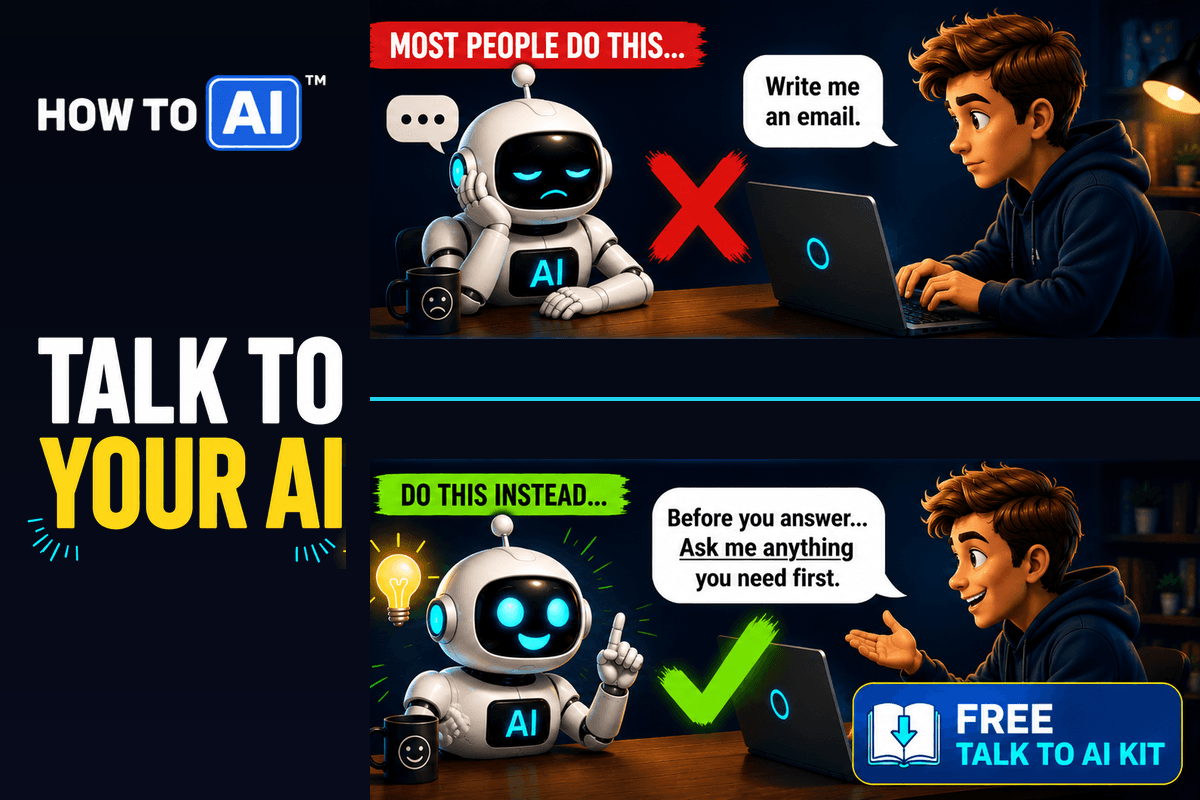
Before you answer, ask me anything that would make your answer better.That last line matters extra with voice, because rambling sometimes leaves gaps, and it lets the AI catch them.
The tool that made it stick for me
Built-in dictation is where to start, but it has rough edges. It types your “ums,” it punctuates badly, and you end up cleaning up after it.
The tool I actually use every day is Wispr Flow. It’s system-wide voice typing that works in every app, and the difference is that it cleans as you speak: filler words gone, punctuation handled, so what lands in the chat box reads like you typed it carefully. I used it constantly while writing the book, and it’s still how most of my prompts get written today.
It’s free to start, and if talking to your AI clicks for you the way it did for me, it’s the upgrade that makes it effortless.
Wispr Flow links are affiliate links. If you sign up through them we may earn a small commission, at no extra cost to you.
⌨️ When typing still wins
Honesty section, because voice isn’t magic for everything. Type when the exact wording matters (code, legal language, anything you’d want to quote precisely), when you’re somewhere you can’t talk, and when you’re editing rather than creating. My split is roughly: voice for the first messy explanation, keyboard for the surgical follow-ups.
💡 Your AI isn’t giving you short answers because it’s lazy. It’s matching the short question you typed. Talk to it, and watch what changes.
Try this today: take a question you’d normally type in one sentence. Instead, tap the mic and talk for 45 seconds, background and all. Watch what changes in the answer.
🎁 Free download: The Talk-to-AI Kit
Voice setup steps for ChatGPT, Claude, and your phone, plus five “speak, don’t type” prompt starters and a talk-out-loud cheat sheet, all in one Notion template. Free, no email required.
Related guides
- AI does THAT?
- You’ve Been Googling Your AI — Here’s the Fix (Free Download)
- Why Your AI Keeps Giving You Generic Answers — And the Fix (Free Kit)
- The Complete Guide to AI Prompting (for People Who Aren’t Engineers)
- Unlock ChatGPT: Your First Useful Chat in Minutes
Frequently asked questions
Why does talking to AI get better answers than typing?
You type around 40 words a minute and speak around 150, so the same 30 seconds carries roughly three times more context. Context is what turns a generic AI answer into a specific one.
Do I need a special app to talk to my AI?
No. The ChatGPT and Claude mobile apps have a microphone built into the keyboard, ChatGPT has a full voice mode, and both Mac and Windows (Win + H) include dictation that works in any text box, including AI chats.
What is Wispr Flow and how is it different from built-in dictation?
Wispr Flow is system-wide voice typing that cleans up your speech as you go: filler words removed, punctuation handled, so what lands in the chat box reads like you typed it carefully. It is free to start.
When is typing still better than voice?
Type when the exact wording matters, such as code or legal language, when you are somewhere you cannot talk, and when you are editing rather than creating. Voice works best for the first messy explanation.