

ChatGPT is the best all-rounder, Claude is the best for writing and coding, and Gemini is the best for research and for anyone whose day runs on Google apps. All three have free plans, and their main paid plans cost about the same: $20 a month for ChatGPT Plus and Claude Pro, and $19.99 for Google AI Pro.
I use all three of these every week, and people still ask me which one is “the best.” The honest answer is that it depends on what you’re trying to do. This guide gives you a quick verdict, side-by-side tables for features and prices, an honest look at each tool’s strengths and weak spots, a straight Claude vs ChatGPT comparison, and a plain recommendation by use-case. Prices, plans and features were checked on OpenAI’s, Anthropic’s and Google’s own pages on October 8, 2026. These companies ship changes constantly, so treat the details as a snapshot.
One more thing before we start. The gap between these three on raw quality is smaller than it’s ever been. They leapfrog each other every few months, and whichever one you read about being “the best” this week will probably trade places with another by next quarter. That’s exactly why I’m steering you toward use-cases instead of leaderboards. The model that fits how you work beats the one that scored two points higher on a test you’ll never run.
The quick verdict
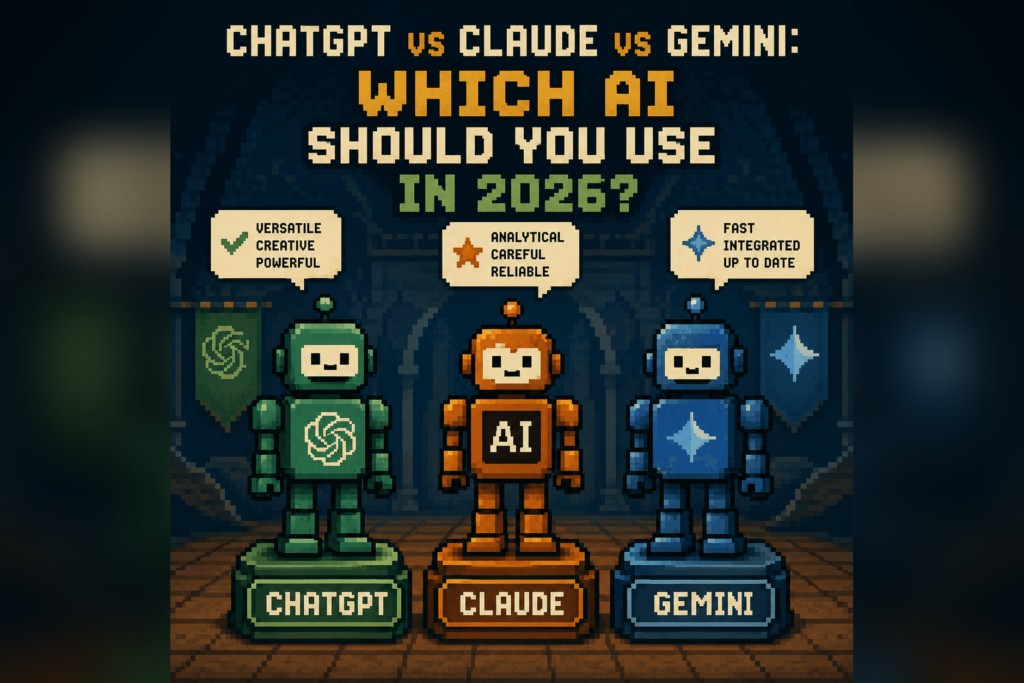
- Best for writing and clear thinking: Claude. It sounds the most human and pushes back when your idea is half-baked.
- Best for everyday work and images: ChatGPT. The most polished all-rounder, with the widest feature set.
- Best for research and Google users: Gemini. Deep Research is excellent, and on Google AI Pro and Ultra it works inside Gmail, Docs and the rest of your Google apps.
- Best free plan: Gemini. The free plan includes Deep Research, image generation, Gemini Live, Canvas and Gemini Notebook, all on Google’s Flash-Lite model.
- Best for coding: Claude, with ChatGPT a close second.
- Best if you don’t want ads: Claude. Anthropic says Claude will remain ad-free, while ChatGPT may show ads on its Free and Go plans.
If you only read this far: most people are happy starting with ChatGPT or Gemini, and writers and developers tend to gravitate to Claude. You really can’t make a bad choice. Below is why.
ChatGPT vs Claude vs Gemini at a glance
| ChatGPT (OpenAI) | Claude (Anthropic) | Gemini (Google) | |
|---|---|---|---|
| Best for | Everyday tasks, images, a bit of everything | Writing, editing, coding, careful thinking | Research, Google Workspace users, long documents |
| Free plan | Unlimited everyday text chats, plus limited uploads, image creation, voice, deep research and memory | Chat, web search, file uploads, memory, voice mode, artifacts and up to 5 projects, with a limit that resets every five hours | Flash-Lite model, image generation and editing, Deep Research, Gemini Live, Canvas, Gems and Gemini Notebook; limits refresh every five hours up to a weekly cap |
| Cheapest paid plan | Go, $8 a month (may show ads) | Pro, $20 a month ($17 billed yearly) | Google AI Plus, $4.99 a month |
| Main paid plan | Plus, $20 a month | Pro, $20 a month | Google AI Pro, $19.99 a month (includes 5 TB of storage) |
| Top plan | Pro, from $100 a month | Max, $100 or $200 a month | Google AI Ultra, from $99.99 a month |
| Ads | May appear on Free and Go; Plus and Pro are ad-free | None; Anthropic says Claude will remain ad-free | Google’s plan pages don’t mention ads |
| Image generation | Yes, limited on Free | No (makes charts, diagrams and interactive visuals) | Yes, on Free |
| Deep research | Limited on Free | Research on paid plans only | Deep Research on Free |
| Voice | Limited voice chats on Free | Voice mode on every plan | Gemini Live on Free |
| Long documents | Plus: about 320 pages of input for reasoning models | All plans: up to a 1M-token context window, depending on model | Google AI Pro: 1M-token context window, about 1,500 pages |
| Agents that do tasks | ChatGPT Work: limited on Free and Go in the desktop app; cloud browser on paid plans other than Go | Claude in Chrome and longer hand-off tasks on paid plans | Gemini Spark on AI Pro and Ultra in select countries |
Checked against chatgpt.com/pricing, claude.com/pricing and gemini.google/subscriptions on October 8, 2026. US prices per month.
ChatGPT: the safe all-rounder
ChatGPT is the one most people met first, and it’s still the default I’d hand to someone who’s never used AI before. OpenAI sells four personal plans: Free, Go at $8 a month, Plus at $20 and Pro from $100, and its pricing page lists GPT-6 models across them. What makes ChatGPT shine is breadth: it writes, analyzes files and spreadsheets, creates images, talks with you by voice, runs deep research reports, and takes on longer multi-step jobs in ChatGPT Work, which on paid plans other than Go can use a cloud browser that keeps working after you close your laptop. If you want one tool that does a respectable job at nearly everything, this is it.
Its popularity helps when you’re learning, because tutorials and templates for it are everywhere. If you’re brand new, our guide to using ChatGPT and quick AI beginner’s guide walk you through your first sessions. If you used OpenAI’s Atlas browser, which OpenAI set to stop working on August 9, 2026, here’s ChatGPT Atlas was discontinued: what replaced it.
The honest weaknesses: ChatGPT’s default writing voice can feel a little generic and over-eager, the kind of polished-but-bland tone people are learning to spot. Ads may appear on the Free and Go plans: OpenAI says they’re labeled as sponsored, sit below an answer and don’t influence what ChatGPT tells you. Plus and Pro are ad-free, and OpenAI also offers a free no-ads option with fewer messages and no tools like image creation, where available. And because it tries to do everything, it occasionally feels like a jack-of-all-trades rather than the best at any single one.
Claude: the writer’s and coder’s pick
Claude is the one I reach for when the words matter. The Free plan includes Anthropic’s Sonnet and Haiku models, Pro adds the more capable Opus models for $20 a month ($17 a month billed yearly), and Max costs $100 or $200 a month for 5x or 20x Pro’s usage. Anthropic’s newest Fable models are on paid plans too, though on Pro they run on pay-as-you-go usage credits. Out of the three, Claude writes with the most natural human rhythm. It varies sentence length, drops the cheerful filler, and is willing to tell you when your draft isn’t working instead of praising everything you paste in. For anyone who writes for a living, or just wants to sound like themselves, that’s a big deal.
It’s also my favorite for coding. Claude handles large, multi-file projects cleanly and reasons carefully through tricky logic, and Claude Code, its coding agent, is included with every paid plan (here’s how to use Claude Code). Two features do a lot of the heavy lifting for everyone else: Projects, which let you load reference material once and reuse it across chats (up to five projects on Free), and artifacts, which turn drafts into editable documents, slide decks and designs beside the chat. There are more quietly useful tricks in the part of Claude most people never find.
Where Claude falls short: it doesn’t generate photos or illustrations (it builds charts, diagrams and interactive visuals instead), its Research mode needs a paid plan, and the free plan’s usage limit, which resets every five hours, runs out faster than I’d like. On the plus side, voice mode comes with every plan, including Free, and Anthropic has said Claude will remain ad-free.
Gemini: the research and Google-ecosystem champion
Gemini is Google’s entry, and its two biggest advantages flow directly from being Google. First, research. Google’s plans page now leads with Gemini 4 Argon, included from Google AI Pro up, alongside its Pro and Flash models, and its Deep Research feature can browse hundreds of websites and come back with a multi-page, cited report in minutes. If you regularly need to understand a topic in depth, that alone can justify Gemini.
Second, integration. On Google AI Pro ($19.99 a month, including 5 TB of storage), Gemini works inside Gmail, Docs and other Google apps, and you get a 1M-token context window, enough for about 1,500 pages. There’s also a cheaper Google AI Plus plan at $4.99 a month with twice the Free plan’s usage. The free tier is the most generous of the bunch: Google’s Flash-Lite model, image generation and editing, Deep Research, Gemini Live, Canvas and Gemini Notebook, a research and writing assistant. Limits are compute-based and refresh every five hours up to a weekly cap, and Google notes that without a paid plan, heavy features like Deep Research may be unavailable at busy times. AI Pro and Ultra subscribers in select countries also get Gemini Spark, an agent that keeps working on tasks in the background.
The downsides: Gemini’s writing, while improved, still trails Claude for voice and nuance, and it can be the most inconsistent of the three, brilliant on one answer and oddly literal on the next. Google’s own overview also warns that Gemini can confidently give inaccurate or misleading answers, so check anything that matters. And the features are spread across several overlapping plans, which can be confusing to figure out. But for research and for anyone deep in the Google world, those are easy trade-offs.
One thing all three now do well is listen. If you have only ever typed at them, try talking to your AI instead: people describe the problem properly out loud, and the answers get better for it.
Claude vs ChatGPT: head to head
If you’ve narrowed it down to these two, here’s how they differ on the things people actually notice:
| Claude | ChatGPT | |
|---|---|---|
| Main paid plan | Pro, $20 a month ($17 billed yearly) | Plus, $20 a month |
| Cheaper option | None between Free and Pro | Go, $8 a month, which may show ads |
| Ads | None | May appear on Free and Go |
| Writing | More natural voice, more willing to push back (our take) | Polished, but can sound generic (our take) |
| Images | Doesn’t generate photos or illustrations | Creates and edits images, limited on Free |
| Research on the free plan | Web search only; Research needs a paid plan | Limited deep research |
| Coding | Claude Code included with every paid plan | Codex, limited on Free and Go |
| Getting tasks done for you | Claude in Chrome and hand-off tasks on paid plans | ChatGPT Work, limited on Free and Go |
Pick Claude if most of your AI time goes into writing, editing, thinking through problems or code, and you’d rather not see ads. Pick ChatGPT if you want one app that also makes images and has the widest range of features. At $20 a month each, plenty of people end up paying for both.
Which should you pick? By use-case
If you mainly write
Go with Claude. It produces the most natural prose, edits with a real sense of voice, and won’t bury your draft in filler words. Pair it with a good prompt and the difference over the others is obvious. If your writing comes out flat from any of these tools, the problem is usually the prompt, not the model, and our guide to prompt refinement will fix most of it.
If you want help with everyday work and productivity
ChatGPT is the smoothest pick. It handles email drafts, summaries, brainstorming, simple data work and image generation without you switching tools, and its voice mode is great for thinking out loud. Gemini is the better call if your day already lives in Google apps. For the specific prompts I lean on for daily tasks, see the AI prompts I use most.
If you code
Claude first, ChatGPT a close second. Claude’s reasoning over large codebases and Claude Code make it a genuinely pleasant pair-programmer, and it tends to keep track of how a change in one file ripples into another, which is where a lot of AI coding help falls apart. ChatGPT is no slouch and has its own coding agent, Codex, so if you’re already in its ecosystem you’ll be fine there too. Gemini can code, but I’d rank it third here unless you specifically want its huge context window on a sprawling project.
If you do research
Gemini. Its Deep Research is the strongest at digging through many sources and assembling a coherent, cited write-up, and on Google AI Pro its 1M-token context window means you can feed it long documents without trimming. ChatGPT’s deep research is a solid alternative if you already pay for Plus.
If you’re a free user
Start with Gemini. It offers the most on the free plan, including a fast Flash-Lite model, image generation, Deep Research, Gemini Live and Gemini Notebook. Claude’s free plan is excellent for writing and ad-free but limits you sooner, and ChatGPT’s free plan gives you unlimited everyday text chats but may show ads. Honestly, all three are free to try, so the smartest move is to run the same question through each and see which answers you prefer. That’s also the fastest way to learn what these tools can and can’t do, which is the whole point of our how good are you at AI quiz. Still unsure? Take the 1-minute which AI tool quiz.
The honest closer
Here’s something most comparison articles won’t tell you: nearly every heavy user I know keeps more than one of these open. I draft and edit in Claude, run quick everyday tasks and image work in ChatGPT, and reach for Gemini when I’m researching or working inside Google Docs. The subscriptions are cheap enough that paying for two is a normal, sane choice once AI becomes part of how you work, and our guide to whether you need to pay for AI at all helps you decide when.
So don’t agonize over the “best” one. Pick the tool that fits your main use-case from the verdict above, use it for a couple of weeks, and add a second only if you bump into its limits. One cheap habit that pays off fast: when a question really matters, paste it into two of them and compare the answers. They disagree often enough that the second opinion is worth the thirty extra seconds, and you’ll quickly build an instinct for which tool to trust on what. The skill that actually matters isn’t picking the winner; it’s learning to prompt well and knowing which tool to grab for which job. If you want to see which one has earned a permanent spot in my own workflow, I broke that down in the AI tool I use most.
Related guides
- Quick AI beginner’s guide
- How to use ChatGPT
- How to use Claude Code
- Claude AI hidden features
- What AI can do today
More certification guides: OpenAI Certification: What OpenAI Actually Offers in 2026 (and What to Take Instead).
Frequently asked questions
Which AI is best, ChatGPT, Claude, or Gemini?
There's no single best one; it depends on your use-case. As of October 2026, Claude is best for writing and coding, ChatGPT is the best all-rounder for everyday work and images, and Gemini is best for research and Google Workspace users. Gemini also has the most generous free plan.
Is Claude better than ChatGPT?
For writing and coding, many people prefer Claude because its prose sounds more natural and it reasons well over large codebases. ChatGPT is the better all-rounder, with image generation, deep research and ChatGPT Work, and it has a cheaper $8 Go plan. Both main paid plans cost $20 a month.
Which AI has the best free version in 2026?
Gemini. Its free plan includes Google's Flash-Lite model, image generation, Deep Research, Gemini Live and Gemini Notebook, with limits that refresh every five hours up to a weekly cap. ChatGPT Free offers unlimited everyday text chats but may show ads, and Claude Free is ad-free with a five-hour usage limit.
How much do ChatGPT Plus, Claude Pro and Google AI Pro cost?
ChatGPT Plus and Claude Pro cost $20 a month each (Claude Pro is $17 a month billed yearly), and Google AI Pro costs $19.99 a month with 5 TB of storage. Cheaper plans are ChatGPT Go at $8 and Google AI Plus at $4.99; the top tiers are ChatGPT Pro from $100, Claude Max at $100 or $200, and Google AI Ultra from $99.99.
Does ChatGPT have ads? What about Claude?
OpenAI may show ads on the ChatGPT Free and Go plans, labeled as sponsored and placed below answers; Plus, Pro, Business, Enterprise and Edu are ad-free. Anthropic says Claude will remain ad-free on every plan.
Which AI is best for research?
Gemini. Its Deep Research can browse hundreds of websites and return a cited, multi-page report in minutes, it's included on the free plan, and Google AI Pro adds a 1M-token context window for long documents. ChatGPT's deep research is a solid alternative if you already pay for Plus.
Which AI is best for coding?
Claude, with ChatGPT a close second. Claude handles large, multi-file projects well, and Claude Code is included with every paid Claude plan. ChatGPT's coding agent, Codex, is a good option if you already use ChatGPT.
Can Claude make images like ChatGPT and Gemini?
No. Claude doesn't generate photos or illustrations; it builds charts, diagrams and interactive visuals instead. ChatGPT and Gemini both create images, including on their free plans with limits.