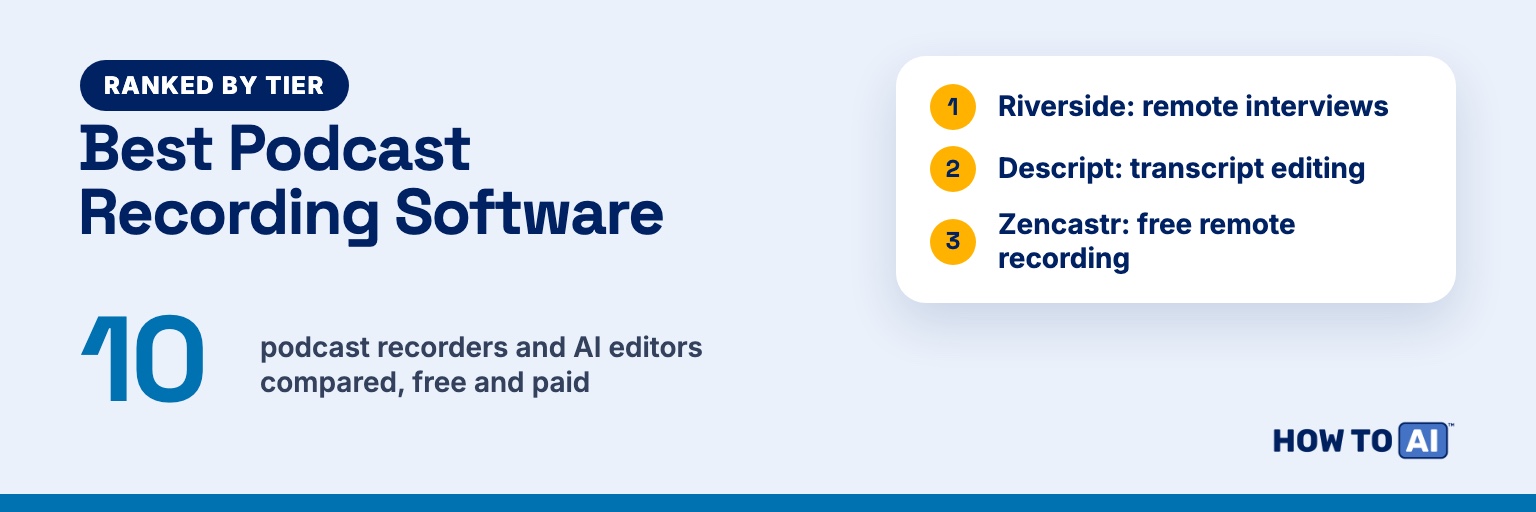
The best podcast recording software for most beginners is Riverside if you interview remote guests on video, Descript if editing is the part you dread, and Zencastr if your budget is $0. All three record each guest on their own computer, so a shaky connection doesn’t ruin the episode, and all three use AI to cut filler words and make clips. If you already recorded and just need it to sound better, start with Adobe Podcast’s free Enhance Speech.
Full disclosure: I record my own shows in Riverside. The Riverside and StreamYard links on this page are affiliate links. If you sign up through them, HOW TO // AI may earn a commission at no extra cost to you. It doesn’t change the ranking.
| Tool | Tier | Best for | Free plan | Paid |
|---|---|---|---|---|
| Riverside | S | Remote video interviews, with AI editing, clips and hosting in one place | 2 hours of separate tracks (one-off), 720p, watermark | Pro $29 a month, or $24 a month billed yearly |
| Descript | S | Editing by transcript, with Studio Sound and filler-word removal | 1 media hour a month, 720p with watermark | Hobbyist $24 a month, or $16 a month billed annually |
| Zencastr | S | Free remote recording for up to 6 people, edited by chat | Unlimited 4K recording, transcription and hosting | No paid plan listed (Enterprise is custom) |
| Adobe Podcast | A | Free one-click cleanup of noise and echo | Enhance Speech 1 hour a day; remote recording with limited downloads | Firefly Pro $19.99 a month |
| Auphonic | A | Leveling and cleaning an episode you already recorded | 2 hours of processing a month, with a jingle | $13 a month for 9 hours, or $11 a month billed yearly |
| StreamYard | A | Live shows you also want to record | 2 hours of local recordings a month | Essential $18.99 a month, or $14.99 billed yearly |
| Cleanvoice | B | Removing filler words from a finished episode | 30 minutes | $11 a month for 10 hours |
| Async (formerly Podcastle) | B | Recording plus AI voices and AI video in one app | 1 hour of recording (lifetime), 10 AI credits | Essentials $19.99 a month, or $11.99 billed yearly |
| Audacity | C | Free desktop editing on Windows, Mac and Linux | Everything | None |
| GarageBand | C | Free recording on a Mac, iPhone or iPad | Everything | None |
How we ranked them
The tiers are our judgment. We compared what each tool offers on its own pages and weighed four things:
- Recording quality and reliability. Local recording per guest, separate tracks, and video.
- AI that saves real time. Editing by transcript, filler and noise removal, cleanup, clips and show notes.
- Ease for a beginner. Guests join from a link, and you can edit without audio skills.
- Price. What paying costs, and what the free plan really allows.
Local recording matters most for remote interviews: each person’s file is saved on their own computer and uploaded as you go, so a dropped connection doesn’t wreck the audio.
S tier: best overall
 Riverside
Riverside (affiliate link) records everyone locally and says it captures “up to 4K video and uncompressed audio in separate tracks, unaffected by internet connection.” You can record up to 10 people (9 guests plus you), and guests just click your link, with no sign-up or install. You edit by editing the transcript, and Magic Clips cuts short clips.
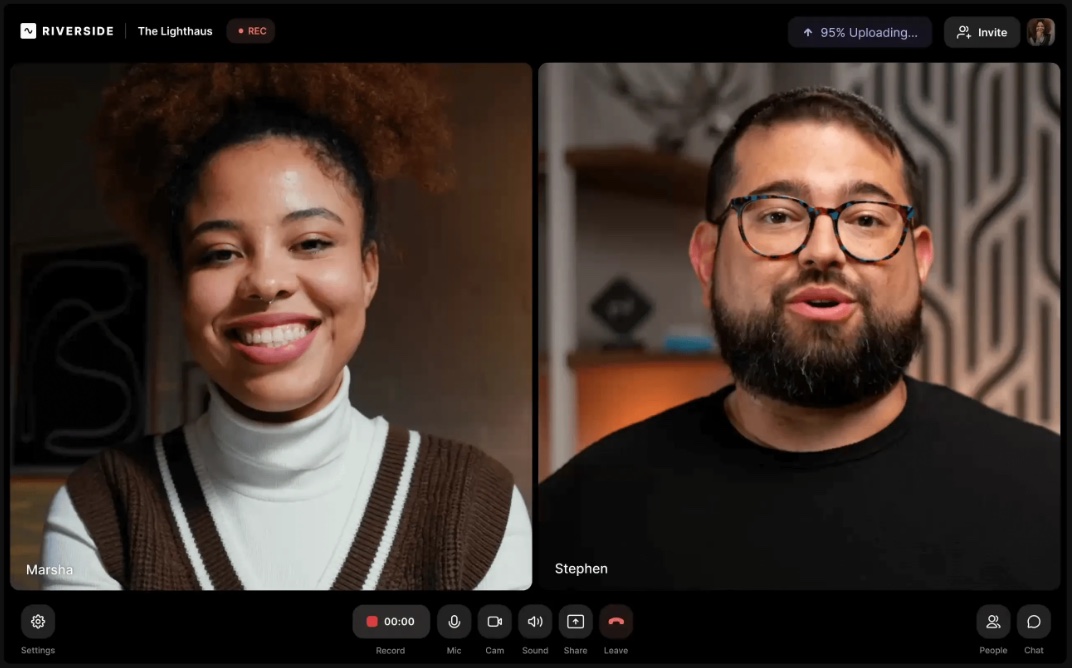
Free vs paid: Free gives you 2 hours of separate-track recording (a one-off), 720p video with a Riverside watermark, unlimited single-track recording and editing, and Magic Clips. Pro costs $29 a month, or $24 a month billed at $288 a year, with a 14-day free trial. Pro includes 4K video, no watermark, unlimited transcriptions, filler-word removal, show notes, podcast hosting, and 15 hours of separate-track downloads a month.
Best for: Remote video interviews, with editing, clips and hosting in one place.
Watch out for: The free plan’s separate tracks are a trial, not an ongoing allowance. On Pro, recording is unlimited, but after 15 hours of separate-track downloads you wait for the next billing cycle or upgrade.
 Descript
Descript is an editor first: you edit audio and video by editing the transcript. Its AI tools include Studio Sound, which Descript says will “improve audio quality of any recording with one click,” filler-word removal, clips, and Underlord, an “AI-powered co-editor.” Its remote recorder, Descript Rooms, has everyone record “locally in up to 4K,” with up to 10 people in a room. SquadCast says it “has joined Descript” and now sells Descript’s plans.
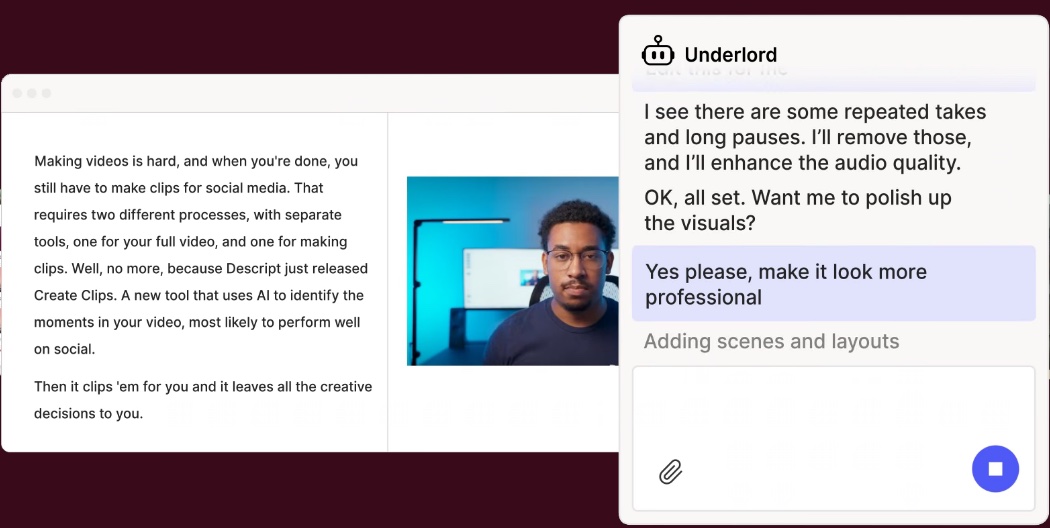
Free vs paid: Free gives you 1 hour of media a month, 100 AI credits (one time), limited Studio Sound and Underlord, and 720p exports with a Descript watermark. Hobbyist costs $24 a month, or $16 a month billed annually, for 10 media hours and 400 AI credits a month, watermark-free 1080p exports, and 5 hours of remote recording a month.
Best for: Solo shows, and anyone who wants editing to feel like fixing a doc.
Watch out for: Media hours count everything you upload or record, and AI features use credits, so busy shows hit limits.
 Zencastr
Zencastr relaunched on October 23, 2026, and made its recorder free. It records up to 6 people, including you, each on a separate track, locally with a cloud backup, in up to 4K video and 48kHz WAV audio, with no time limit. You edit by chatting with an AI “Producer” that removes background noise, balances levels, cuts filler words and long pauses, writes show notes, and finds clips.
Free vs paid: The free plan, now called Vibecastr, includes unlimited recording, transcription, hosting and clips. The pricing page shows no price for any paid plan: a Producer plan has no price listed, and Enterprise is custom. The launch post says unlimited production credits are free “for a limited time.”
Best for: Remote interviews on a $0 budget, with up to 5 guests.
Watch out for: The new version is days old, so terms could change. On desktop it supports only Chrome, Edge and Brave, plus an iOS app. Zencastr also says your transcript fixes make its AI work better “for everyone in the Zencastr ecosystem,” and it pays you for that.
A tier: great at one job
Adobe Podcast
Adobe Podcast is best known for Enhance Speech, which removes background noise and echo from a voice recording you upload. Its Studio, still labeled beta, records you solo or with remote guests, captures each person’s audio as a separate 48k WAV track “even if someone’s internet connection isn’t perfect,” and lets you edit audio like a doc.
Free vs paid: Free Enhance Speech handles audio files up to 30 minutes, 1 hour a day. Free Studio records without limits, but downloads stop at 2 projects a day, up to 30 minutes each, without the original speaker-separated tracks. Premium comes with Adobe’s Firefly Pro plan at $19.99 a month, adding video files, bulk uploads, 4 hours of enhancing a day, and unlimited Studio downloads.
Best for: Making a rough recording sound clean for free.
Watch out for: Studio is in beta, and Adobe describes its recording in terms of audio tracks, so the S tier is a safer pick for video.
 Auphonic
Auphonic is a post-production service. Upload a finished episode, and it evens out volume, reduces noise and reverb, cuts filler words and silence, and meets loudness targets.
Free vs paid: Free covers 2 hours of processed audio a month, but adds an Auphonic jingle and limits multitrack productions to under 20 minutes. The smallest recurring plan is 9 hours a month for $13, or $11 a month billed at $132 a year. One-time credits start at 5 hours for $12 and never expire. Prices exclude VAT.
Best for: Cleaning up and leveling an episode you already recorded.
Watch out for: Speech recognition, automatic show notes and chapters are paid features, and unused free hours don’t roll over.
 StreamYard
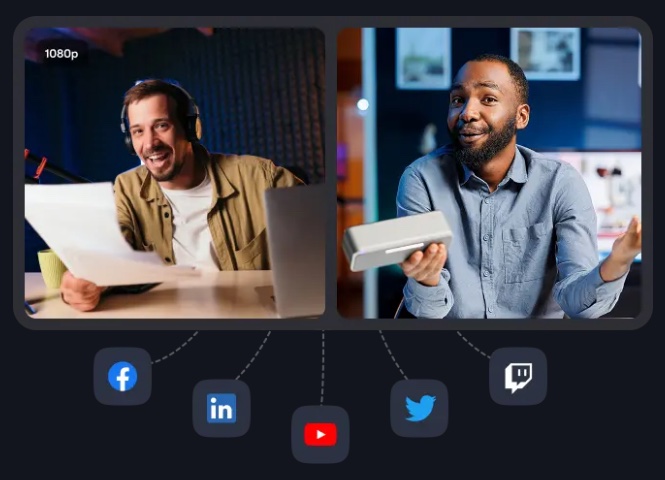
StreamYard (affiliate link) is a browser studio for live streaming that also records. Its local recordings save a separate audio and video file for each person on their own device, with up to 9 guests on paid plans and 5 on the free plan.
Free vs paid: Free includes 2 hours of local recordings a month, with a StreamYard logo on your streams. Essential costs $18.99 a month, or $14.99 billed yearly. Unlimited local recordings and AI clips are listed on Core, at $44.99 a month or $35.99 billed yearly.
Best for: Shows that go live and want a clean recording too.
Watch out for: On the free plan you can’t live stream and record at the same time, and its AI editing is thin next to the S tier.
B tier: good, with trade-offs
 Cleanvoice
Cleanvoice removes filler words, background noise, silences, mouth sounds and breaths from a recording you upload.
Free vs paid: You can clean 30 minutes free with no credit card. A subscription costs $11 a month for 10 hours, or pay-as-you-go credits cost $11 for 5 hours and last 2 years. Prices exclude VAT.
Best for: Cutting the “ums” from an episode you edit somewhere else.
Watch out for: It’s built for cleanup, not remote interviews, and it deletes your files after 7 days.
 Async (formerly Podcastle)
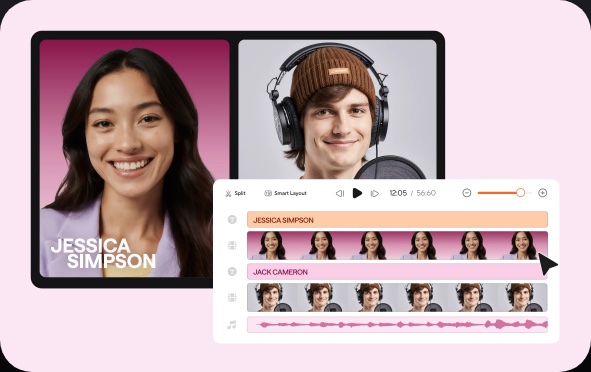
Podcastle renamed itself Async in January 2026. Its browser studio still records separate audio and video tracks for every guest locally, with Magic Dust audio cleanup, noise reduction, text-to-speech and voice cloning. Most of its pricing page, though, is now about AI video and image models.
Free vs paid: Free includes 1 hour of remote multitrack recording for the life of the account, 10 AI credits, and up to 720p video and 44kHz audio. Essentials costs $19.99 a month, or $11.99 billed yearly. Recording in 4K and 48kHz needs Pro, at $39.99 a month or $23.99 billed yearly.
Best for: Creators who also want AI voices and AI video in one app.
Watch out for: The free plan is a short trial, and credits are priced around AI video and image models a podcaster may not need.
C tier: free basics
 Audacity
Audacity® is open-source software for recording and editing audio on Windows, macOS and Linux. Intel’s free OpenVINO AI plugins add noise suppression and Whisper transcription that run on your own computer.
Free vs paid: Audacity’s makers say it “will always remain free for everyone.”
Best for: Editing on a $0 budget, if you don’t mind a learning curve.
Watch out for: Audacity’s download page warns, “The OpenVINO plugins are not yet compatible with the latest Audacity version.” It’s a desktop editor, so remote guests need another tool.
GarageBand
GarageBand is Apple’s recording studio app for Mac, iPhone and iPad, and on a Mac it can mix up to 255 audio tracks. Apple doesn’t list AI cleanup, transcription or remote-guest features for it.
Free vs paid: Free on the Mac App Store and the App Store for iPhone and iPad.
Best for: Apple users recording solo or with guests in the same room.
Watch out for: It’s built around making music, so pair it with Adobe Podcast or Auphonic for cleanup.
Free vs paid: what’s worth paying for
Here’s each free plan next to the cheapest paid plan, as of October 2026:
| Tool | Free plan | Cheapest paid plan |
|---|---|---|
| Riverside | 2 hours of separate tracks (one-off), 720p, watermark | Pro: $29/mo, or $24/mo yearly |
| Descript | 1 media hour a month, 720p with watermark | Hobbyist: $24/mo, or $16/mo yearly |
| Zencastr | Unlimited 4K recording, transcription and hosting | No paid price shown (Enterprise is custom) |
| Adobe Podcast | Enhance Speech 1 hour a day, limited Studio downloads | Firefly Pro: $19.99/mo |
| Auphonic | 2 hours of processing a month, with a jingle | $13/mo, or $11/mo yearly (9 hours) |
| StreamYard | 2 hours of local recordings a month | Essential: $18.99/mo, or $14.99/mo yearly |
| Cleanvoice | 30 minutes | $11/mo for 10 hours |
| Async | 1 hour of recording (lifetime) | Essentials: $19.99/mo, or $11.99/mo yearly |
| Audacity, GarageBand | Everything | None |
- Pay to remove the watermark. Riverside’s and Descript’s free plans mark your video, the main reason to upgrade for a video podcast.
- Don’t pay just for separate tracks. Zencastr records them free with no time limit.
- Pay for cleanup only if you publish often. The free allowances cover occasional episodes.
Start monthly, and set a reminder before any plan renews.
Which one should you pick?
- Remote interviews: Riverside (affiliate link) for the most complete studio, with up to 9 guests, 4K on Pro and clips built in. Zencastr if you want it free and have 5 guests or fewer.
- Solo show: Descript. Record, fix mistakes by editing the transcript, and run Studio Sound.
- Video podcast: Riverside (4K on Pro) or Descript (4K exports start on Creator, $35 a month or $24 billed annually). Add StreamYard (affiliate link) if you also go live.
- $0 budget: Zencastr to record, Adobe Podcast’s Enhance Speech to clean up, and Audacity or GarageBand to edit. Our free AI tools hub has more.
- “I already recorded it and need cleanup”: Enhance Speech first, then Auphonic for leveling or Cleanvoice for filler words. To turn the transcript into show notes, try our AI summarizer.
What AI can’t fix
- A bad mic and a noisy room. Cleanup tools work with what you recorded. A basic USB mic, headphones and a quiet room still make the biggest difference.
- Mistakes in transcripts, notes and clips. Async’s own editor warns, “AI can make mistakes. Please review all edits.” Check names and numbers, and watch every clip before you post it. Our AI capability checker shows what AI does well and where it slips.
Your next step
Pick the S-tier tool that fits your show and record a 10-minute test with a friend this week. Listen on headphones, try one AI cleanup, and keep the tool only if it sounds like you. For the rest of your workflow, our which AI tool should I use picker can help.
Sources
- Riverside: pricing page, FAQ and home page on riverside.com
- Descript: pricing, Rooms, export help, SquadCast pricing
- Zencastr: pricing, recording, editing, launch post, FAQ
- Adobe Podcast: home, plans
- Auphonic: pricing
- StreamYard: pricing, recordings
- Cleanvoice: pricing
- Async: pricing, recording studio, rename post, home
- Audacity: home, OpenVINO plugins
- GarageBand: Mac, Mac App Store, iPhone and iPad
Checked against each company’s own pages on October 27, 2026. Prices and plans change often, so check the official page before you subscribe.
Product names and logos belong to their owners. HOW TO // AI isn’t affiliated with or endorsed by any of these companies. The Riverside and StreamYard links are affiliate links, as noted at the top.
Related guides
- Free AI Tools
- Free AI Summarizer: Summarize Any Text, Article or PDF
- Which AI Should You Use? A 1-Minute Quiz
- I Stopped Typing to My AI — Voice Gets You Better Answers (Free Kit)
- Can ChatGPT Make Videos? AI Capability Checker
Frequently asked questions
What is the best podcast recording software for beginners?
For most beginners, Riverside is the best all-in-one pick for remote video interviews, Descript is the easiest to edit in because you edit the transcript like a document, and Zencastr is the best free option, with unlimited 4K recording for up to 6 people. All three record each person on their own device, so a weak connection doesn't ruin the audio.
Is there free podcast recording software with a separate track for each guest?
Yes. Zencastr's free plan records up to 6 people, each on a separate track, with no time limit. Riverside's free plan includes 2 hours of separate-track recording as a one-off, and StreamYard's free plan includes 2 hours of local recordings a month. Adobe Podcast's free Studio records remote guests, but free users can't download the original speaker-separated tracks.
Is Riverside free?
Riverside has a free plan with 2 hours of separate-track recording (a one-off), 720p video with a Riverside watermark, unlimited single-track recording and editing, and Magic Clips. Pro costs $29 a month, or $24 a month billed at $288 a year, and removes the watermark.
What is the best AI podcast editor?
Descript, for most people. You edit by editing the transcript, and its AI tools include Studio Sound, filler-word removal, clips and the Underlord co-editor. Riverside and Zencastr also remove filler words in the same app you record in, and Zencastr lets you edit by chatting with its AI Producer.
How do I clean up a podcast I already recorded?
Upload it to an AI cleanup tool. Adobe Podcast's free Enhance Speech removes noise and echo from audio files up to 30 minutes, 1 hour a day. Auphonic's free plan processes 2 hours a month and evens out volume, and Cleanvoice cleans 30 minutes free and focuses on filler words. Listen to the result on headphones before you publish.
What happened to Podcastle and SquadCast?
Podcastle renamed itself Async in January 2026, and it still offers a remote recording studio. SquadCast says it has joined Descript, and its pricing page now lists Descript's plans.